

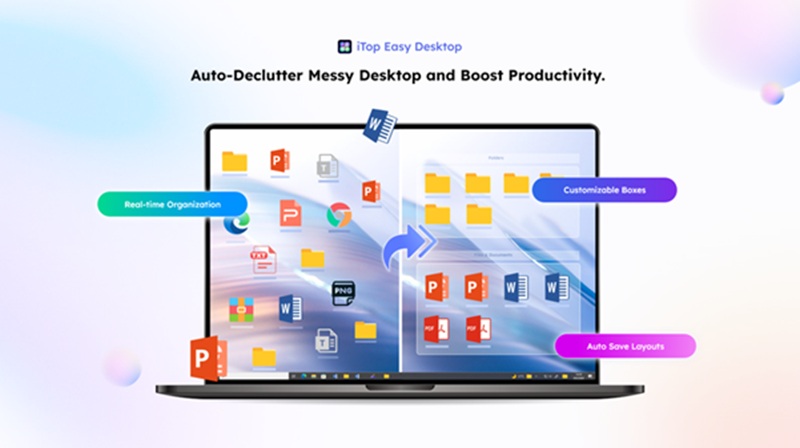
A messy desktop can hurt concentration and waste time, while a clean, organized workspace makes everyday computer use smoother and more productive. This guide explains how iTop Easy Desktop, a powerful desktop organizer software, helps you design your dream desktop effortlessly.
One-Click Theme Setting – Create Your Dream Desktop with iTop Easy Desktop
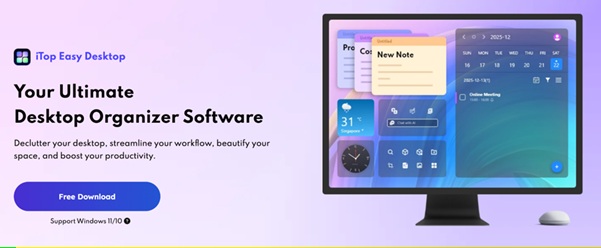
iTop Easy Desktop is a modern desktop organizer software that simplifies file management while delivering a clean, well-structured desktop experience. Your files are instantly sorted into simple, well-defined groups, making a messy desktop clean and stress-free. Instead of constantly dragging icons or cleaning up your desktop, smart organization boxes neatly group related files like visual folders. What makes iTop Easy Desktop stand out is its One-Click Theme Setting, which instantly refreshes your desktop by perfectly coordinating wallpapers, icon layouts, and organization boxes. You get a neat, visually balanced workspace that’s attractive, intuitive, and easy to manage.
Key Features
1.Boxes: Use desktop boxes to stay organized while reaching your files in seconds.
2.Folder Portal: Access folders instantly from your desktop with one click.
3.Personalize Boxes: Design a desktop that suits your workflow by arranging, renaming, and resizing boxes.
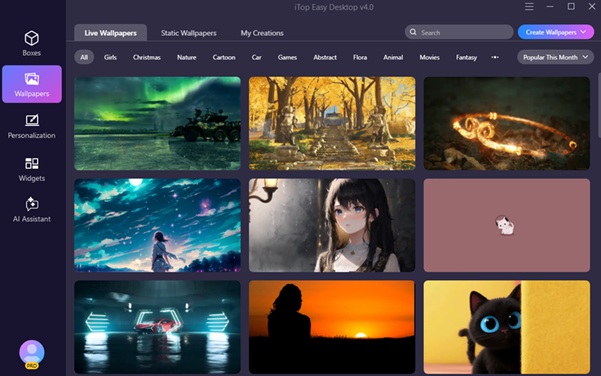
4.Beautiful Wallpapers: Browse and select from more than 20,000 HD and 4K background images.
5.Double-Click Hide: Hide or show desktop items with a single double-click.
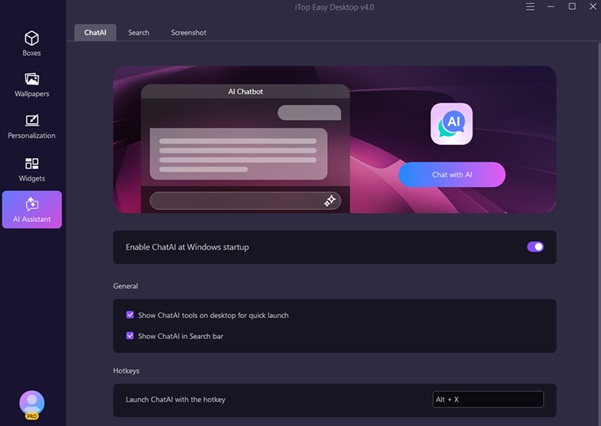
6.AI Assistant: Accomplish tasks faster with smart support that streamlines and simplifies your workflow.
7.Access Widgets: Keep notes, calendar events, and shortcuts well-organized on your desktop for instant access.
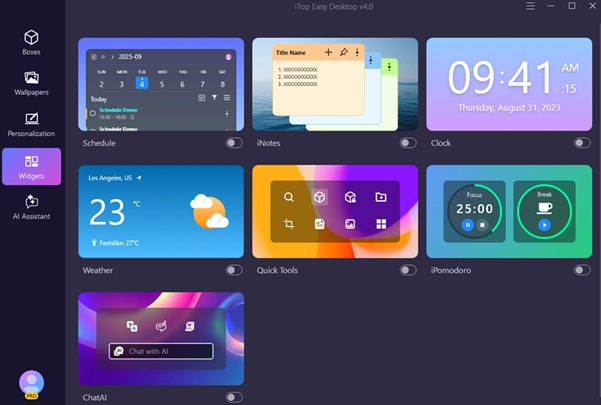
8.Personalize Your System in 1-Click: Quickly create a polished, visually striking desktop layout.
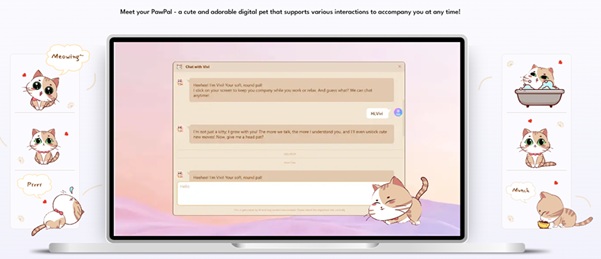
9.Cute PawPal: A cute and adorable digital pet that supports various interactions to accompany you at any time.
10.Quick Screenshots with Scroll: Take scrolling screenshots of long pages with ease.
Step-by-Step Guide: Creating Your Dream Desktop
A clean desktop improves focus and productivity—but how does desktop organizer software make that happen? This desktop PC organizer cleans and organizes your screen in just 3 easy steps. Follow the steps below to get started.
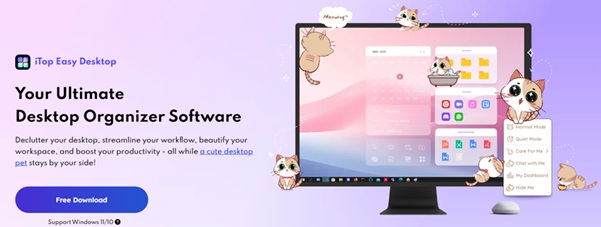
Step 1: Download for Free
Install this desktop organizer software in minutes without paying a dime. The setup is straightforward—follow the prompts, and you can start using it immediately.
Step 2: Auto-Organize Files into Boxes
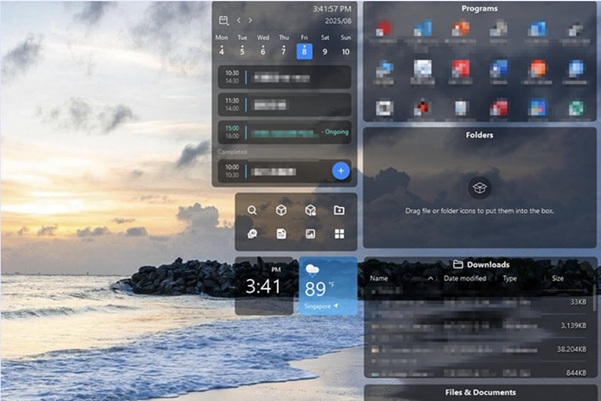
After installation, open the app to have your desktop scanned and files organized into neat, easy-to-find boxes. Quickly declutter your desktop with this feature, keeping it organized, simple, and easy to use every day. Choose “One-Click Theme Setting” in the “theme section” or “Personalization Center” within the software.
Step 3: Energize Your Workspace
Apply a theme with a single click and let dynamic wallpapers bring your desktop to life.
Useful Tips for Organizing Your Desktop
With iTop Easy Desktop and smart habits working together, a clean workspace comes naturally. Keeping your desktop organized reduces distractions, speeds up tasks, and improves focus. Combining powerful features with thoughtful routines helps create an organized, efficient environment. Use these helpful tips to keep your desktop organized and clutter-free.
- Keep Only Essentials
Keep your workspace clutter-free by moving seldom-used files into folders or external storage. A tidy, well-organized workspace enhances visual appeal while improving focus, file access, and navigation. A streamlined desktop creates a calm, productive space that improves workflow, reduces distractions, and makes daily tasks easier.
- Give Clear, Simple Names
Use clear, easy-to-understand labels like “Work” or “Personal” for every desktop box. Using this desktop organization method results in a structured, clutter-free environment that supports streamlined access, eliminates wasted time searching for items, focused work, and simplifies everyday computer tasks, allowing you to be more productive and efficient.
- Match Wallpaper with Layout
Choose wallpapers that complement your desktop icons and organization boxes. Light, soothing color palettes in wallpapers make your desktop feel cleaner, more comfortable, and easier to use. A well-chosen background improves text clarity, reduces eye strain, and makes icons stand out, creating a calm workspace that supports focus, easy navigation, and consistent productivity throughout the day. Using soft colors and minimal designs prevents your screen from becoming crowded or confusing.
- Weekly Cleanup
Setting aside a short weekly cleanup for your desktop helps keep everything under control. By routinely removing unnecessary files, returning items to their proper places, and refining your desktop layout, you prevent clutter from building up over time. This keeps your workspace neat, easy to manage, and visually clean over time. When your desktop is neat and well-organized, it becomes easier to find what you need and stay stress-free. Maintaining your workspace with a small routine helps preserve efficiency and boosts productivity day after day.
- Use Shortcuts Instead of Full Files
A clean, orderly desktop promotes a stress-free workspace where moving between files and tasks is simple. With fewer items competing for attention, you can focus better and complete tasks without interruptions. And with an uncluttered layout, you can work more efficiently, stay on top of your schedule, and keep your desktop neat and productive.
Keep your desktop neat by showing only essential items. Instead of placing entire folders on the screen, create shortcuts for frequently used files and apps for quick, one-click access. Using this method, your desktop becomes streamlined, simple to navigate, and free from unnecessary clutter.
Conclusion
Creating a visually appealing, customized desktop is straightforward and requires minimal effort or technical knowledge. With iTop Easy Desktop, you can instantly transform your screen using the One-Click Theme Setting while enjoying smart file organization. With a perfect mix of style and functionality, this desktop organizer keeps your workspace clean, streamlines your workflow, and turns routine computer use into a smoother, more productive, and enjoyable experience.
FAQs
Q1. Can beginners use iTop Easy Desktop?
Yes. iTop Easy Desktop features a simple interface and one-click functionality, making it ideal for beginners and advanced users alike who want efficient desktop management.
Q2. Can I customize themes after applying them?
Absolutely. You can change wallpapers, resize and rename boxes, rearrange layouts, and fine-tune the desktop at any time to match your personal style and workflow.