

Running a startup is expensive enough without adding a massive cybersecurity bill. But ignoring online security? That could cost you even more.
From phishing emails and stolen passwords to unsecured Wi-Fi, cyber threats can hit businesses of any size. And when your team works remotely, keeping everyone protected becomes even trickier. The good news? You don’t need an enterprise-level budget or a full-time IT department to get the basics right.
Simple steps like enabling multi-factor authentication, updating software, and using a reliable VPN can go a long way. In this guide, we’ll break down five affordable cybersecurity practices that help startup founders protect their businesses, secure their teams, and keep costs under control.
Why Cybersecurity Matters for Startups
When you’re building a startup, cybersecurity probably isn’t at the top of your priority list. You’re busy finding customers, improving your product, and keeping cash flow healthy. Security can feel like something to worry about once the business gets bigger.
But cybercriminals don’t necessarily wait until you’ve raised your Series A.
Smaller businesses can be attractive targets precisely because they often have limited security resources. A growing startup might handle customer information, business payments, and confidential documents while relying on a handful of employees using personal laptops.
It only takes one compromised account to create a serious problem. Imagine losing access to your company’s primary email account during an important customer negotiation. Or discovering that someone has used a stolen password to access your cloud storage.
Even if the damage is contained, recovering accounts, investigating incidents, and rebuilding customer confidence all take time. For an early-stage company, that’s time you could have spent growing the business.
Remote work adds another layer of complexity. Your team might be connecting from home offices, coworking spaces, or cafés across different cities. That flexibility is great for productivity, but it also means your business information moves across devices and networks you don’t fully control. If your team frequently uses public Wi-Fi, finding the best VPN for their needs can be one way to add an extra layer of privacy protection.
The answer isn’t to spend thousands on complicated security software. It’s to understand where your biggest risks are and address them with simple, consistent protections.
That’s where an affordable cybersecurity strategy starts.
5 Affordable Cybersecurity Practices Every Startup Needs
Cybersecurity doesn’t have to mean buying expensive tools or hiring a dedicated IT team. In fact, some of the most effective protections are already available through the devices and services your startup uses every day.
Here are five practical improvements worth making before investing in anything more advanced.
1. Strengthen Passwords and Enable Multi-Factor Authentication
Think about how many accounts your startup depends on. Email, cloud storage, payment platforms, social media, project management tools, and customer databases are probably just the beginning.
Now imagine someone gaining access to your business email account. They might be able to reset passwords for other services, impersonate your company, or access sensitive conversations.
That’s why password security deserves attention from day one.
Start by making sure every employee uses a unique, strong password for each business account. Reusing the same password across multiple platforms is especially risky. If one service suffers a data breach, stolen credentials may be tested against other accounts.
A password manager makes this much easier. Instead of remembering dozens of complicated passwords, employees can securely generate and store unique credentials. Many password managers offer free individual plans or affordable team subscriptions.
But passwords alone aren’t enough.
Multi-factor authentication (MFA) adds another verification step when someone signs in. Even if a password is stolen, an attacker may still struggle to access the account without the second factor.
Enable MFA wherever possible, starting with business email, financial accounts, cloud storage, and administrative dashboards. Passkeys and phishing-resistant authentication methods are particularly valuable for sensitive accounts.
The best part? These changes can significantly improve account security without requiring a major investment.
2. Keep Devices and Software Updated
Software updates can be annoying, especially when you’re in the middle of something important. It’s tempting to click “Remind Me Later” and get back to work.
But those updates aren’t always about introducing new features. Many contain security fixes for vulnerabilities that attackers could otherwise exploit.
An outdated browser, operating system, or business application may expose your startup to risks that have already been addressed in newer versions.
For small businesses without dedicated IT support, the simplest approach is to enable automatic security updates wherever practical.
This applies to more than laptops. Smartphones, office routers, browser extensions, and the tools your team uses to communicate should also be maintained.
If employees use personal devices for work, establish some basic expectations. Their devices should run supported operating systems, receive security updates, use screen locks, and have appropriate security protections enabled.
It’s also worth reviewing the software your company uses. That free browser extension someone installed two years ago might have access to sensitive information without providing much value today.
Make it a habit to remove applications and extensions your team no longer needs.
Keeping everything updated won’t eliminate every cybersecurity risk, but it closes off many avoidable opportunities for attackers.
3. Secure Internet Connections with a VPN
A startup’s office isn’t always a physical office.
Your developer might work from a café in Lagos, your marketing specialist might be traveling through Nairobi, and you might be reviewing financial reports from a coworking space.
This flexibility is one of the biggest advantages of building a modern business. But it also means employees frequently connect through networks that your company doesn’t manage.
Public Wi-Fi deserves particular attention.
Although most reputable websites and applications now use HTTPS to encrypt communications, connecting through unfamiliar networks can still expose users to malicious hotspots, network manipulation, and certain privacy risks.
A virtual private network (VPN) can provide an additional layer of protection.
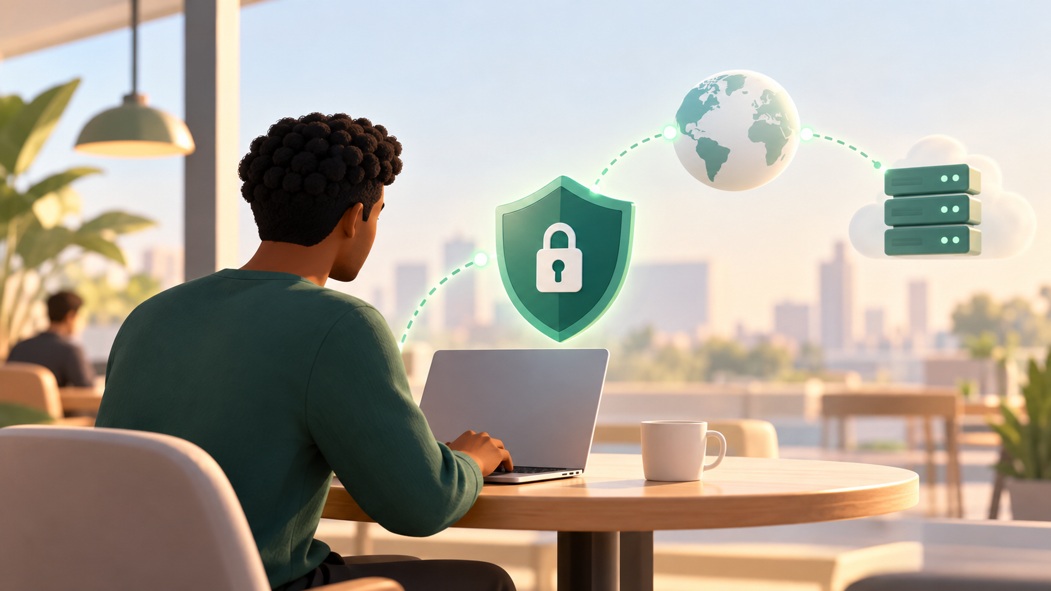
A VPN creates an encrypted connection between your device and a VPN server. This helps prevent people monitoring the local network from easily inspecting the traffic passing through that connection. It can also reduce the information your internet service provider can observe about your browsing activity.
For startups watching every dollar, a trustworthy free VPN service can be a practical starting point, particularly for individual employees who occasionally work on unfamiliar networks.
However, not all free VPN providers operate the same way. Some impose strict data limits or offer limited server locations. Others may collect more information than users expect.
So how do you find the best VPN for your startup’s needs?
Look beyond the price. A provider’s privacy policy, encryption standards, independent security assessments, connection reliability, and device compatibility all deserve consideration. If employees regularly attend video meetings or transfer large files, performance matters too.
It’s equally important to understand what a VPN cannot do. It won’t automatically block phishing emails, protect a device infected with malware, or replace secure login practices.
And while a consumer VPN can improve privacy on untrusted networks, it isn’t a substitute for a properly managed business remote-access system when employees need to connect to private company resources.
Think of a VPN as one useful layer of protection rather than a complete cybersecurity solution.
4. Protect and Back Up Sensitive Business Data
Your startup’s most valuable assets might not be physical products or office equipment. They could be your customer records, financial documents, source code, or months of product development work.
Losing that information can be devastating, especially when there isn’t an easy way to recover it.
That’s why data protection should be part of your everyday business operations.
Start by deciding where important information should be stored. Instead of allowing employees to save sensitive files wherever they like, choose approved storage services with appropriate security controls.
Cloud storage can make collaboration easier, but convenience shouldn’t mean everyone has access to everything.
A marketing employee probably doesn’t need permission to view payroll records. Similarly, a temporary contractor shouldn’t automatically receive access to confidential product plans.
Give people access only to the information they actually need, and review those permissions whenever responsibilities change.
Next, think about backups.
If your primary storage account became inaccessible tomorrow, how quickly could you restore your essential business information?
A sensible backup strategy keeps recoverable copies of important data separate from the original systems. For particularly sensitive information, consider protected, versioned, or offline backups that are harder for ransomware to alter.
And don’t just assume your backups work. Test the restoration process occasionally.
It’s also worth enabling device encryption on company laptops and smartphones. If a device is lost or stolen, encryption can help protect locally stored information from unauthorized access.
These aren’t glamorous cybersecurity investments. But they’re the kind that can keep a manageable incident from turning into a business crisis.
5. Train Employees to Recognize Cyber Threats
You can invest in excellent security software and still run into trouble if someone on your team unknowingly hands over their login credentials.
Consider a message that appears to come from a potential investor asking you to review a confidential document. Or an email supposedly from your payment provider warning that your business account will be suspended unless you verify it immediately.
Both could be phishing attempts designed to steal information.
The problem is that suspicious messages don’t always look suspicious anymore. Attackers can imitate familiar brands, write convincing emails, and create fake login pages that closely resemble legitimate services.
That’s why cybersecurity awareness matters just as much as technology.
You don’t need an expensive training platform to get started. A short discussion during team onboarding can cover common warning signs, such as unexpected attachments, unusual payment requests, unfamiliar login pages, and messages that create unnecessary urgency.
For requests involving money or sensitive information, encourage employees to verify the sender through a separate, trusted communication channel.
For example, if your finance manager receives an email requesting an urgent change to a supplier’s bank details, they should confirm the request using a phone number already on file rather than replying directly to the message.
Most importantly, create an environment where employees feel comfortable reporting mistakes.
If someone clicks a suspicious link, you want to know immediately. A quick response may prevent further damage. Fear of being blamed, on the other hand, can cause employees to stay silent until the problem becomes more serious.
A security-conscious team doesn’t have to know everything about cybersecurity. It simply needs to recognize common risks and know when to ask for help.

Free vs. Paid Security Tools: Where Should Startups Invest?
Here’s a question many founders eventually face: if free cybersecurity tools are available, why pay for anything?
The answer depends on what your startup needs to protect and how much complexity you’re managing.
For a small team, built-in device security, free authentication features, and basic privacy tools can provide a solid starting point. You may already have access to useful security settings through your email provider, operating system, and cloud collaboration software.
There’s no reason to buy a premium product just because its marketing sounds impressive.
But free tools often have practical limitations.
A free password manager might work well for one person but lack centralized account management. A free VPN may be sufficient for occasional browsing, but a growing team might need more consistent performance, device coverage, or administrative controls.
Similarly, basic cloud storage may meet your needs today, while paid business plans might become worthwhile when you need stronger access management, audit records, or recovery options.
The key is to evaluate tools based on the risks they address, not the number of features they advertise.
Before paying for any cybersecurity service, ask yourself three questions.
What problem does this solve? If you can’t identify a meaningful risk, the purchase probably isn’t urgent.
Can our existing tools already handle it? Many startups pay for overlapping products without realizing it.
What happens if we don’t invest? A tool protecting critical business operations deserves greater priority than one offering a minor convenience.
For example, spending money on reliable backups may be more important than purchasing a feature-rich security suite that nobody on your team knows how to use.
As your startup grows, revisit these decisions. What works for five employees may not be enough for fifty.
Affordable cybersecurity isn’t about avoiding paid tools entirely. It’s about spending deliberately, starting with the essentials, and investing more when the business case becomes clear.
Build a Simple Cybersecurity Plan for Your Startup
Knowing which security practices matter is one thing. Getting everyone to follow them consistently is another.
The good news is that your startup doesn’t need a hundred-page cybersecurity policy to make progress.
Start with a short document explaining how your team should handle accounts, devices, company information, and suspicious activity.
Keep the language simple. Employees are much more likely to follow rules they understand than policies filled with technical jargon.
For example, your plan might require MFA for important accounts, automatic security updates on work devices, approved storage for customer data, and verification of unusual payment requests.
It should also explain what employees should do if a laptop goes missing, they receive a suspicious email, or they believe an account has been compromised.
Next, assign responsibility.
Even if you can’t afford a full-time IT manager, someone should own the process of checking that essential security measures are actually in place.
That person doesn’t need to personally solve every technical issue. Their job is to coordinate security decisions, keep track of important accounts, and make sure problems don’t fall through the cracks.
A realistic approach is to introduce improvements gradually.
During the first week, focus on securing email and financial accounts with strong authentication. Then review employee devices and software updates. After that, organize your business files, check access permissions, and confirm that critical backups can be restored.
Once those basics are working, establish a monthly security check-in.
It doesn’t have to be a formal meeting. Even fifteen minutes spent reviewing employee access, outstanding updates, and recent security concerns can help maintain good habits.
Remember to include employee onboarding and offboarding. New team members should receive only the access they need, while departing employees should have their accounts and permissions promptly removed.
If you’re unsure where to begin, the NIST Cybersecurity Framework 2.0 Small Business Quick-Start Guide provides a useful starting point for managing cybersecurity risks with limited resources.
The objective isn’t to create a perfect security program overnight. It’s to build a manageable routine that grows alongside your business.
Conclusion: Better Security Starts With Smarter Habits
Building a startup requires taking risks, but exposing your business to avoidable cyber threats shouldn’t be one of them.
You don’t need a large IT budget to improve cybersecurity. Strong passwords, multi-factor authentication, updated devices, secure connections, reliable backups, and employee awareness can make a meaningful difference.
The most important thing is to start with what matters most to your business and make security part of how your team operates.
As your company grows, your cybersecurity strategy can grow with it. For now, focus on practical improvements that protect your people, your data, and the business you’re working hard to build.