

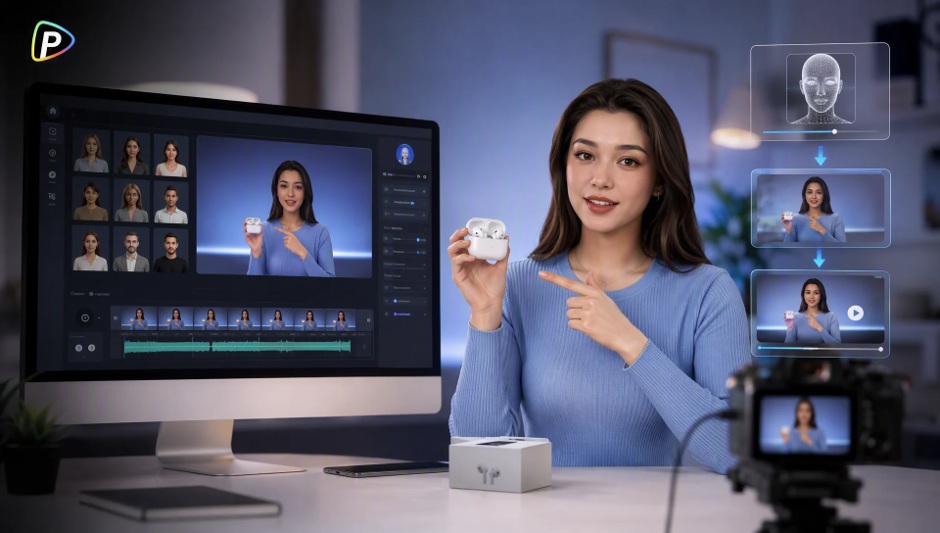
Product demo videos need to explain how a product works without requiring a new filming session every time the product, feature, or message changes. An AI avatar generator can help businesses create presenter-led demos using an image, a product visual, and a script or audio file.
This guide explains how to create a product demo video with Pollo AI’s AI Avatar tool and avoid common issues during the process.
Why Use Pollo AI for Product Demo Videos?
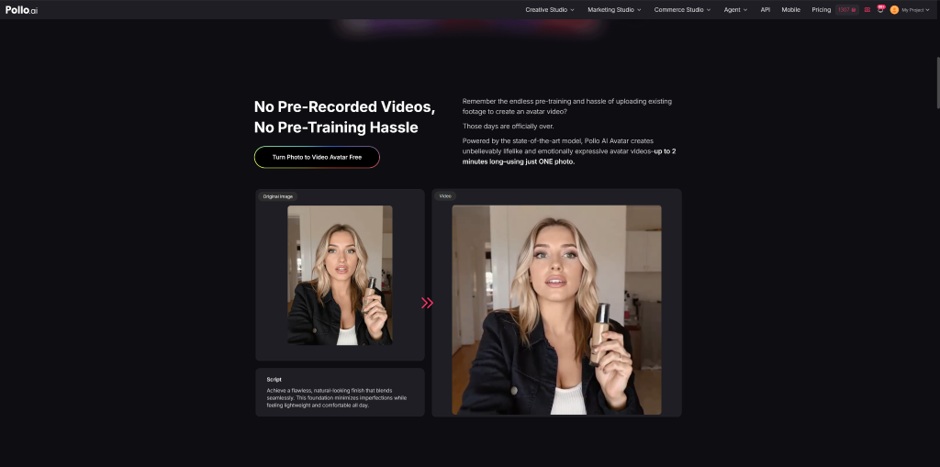
Businesses may need a consistent presenter but lack the time or resources to record one for every product video. Pollo AI’s AI avatar generator allows users to upload an image, add an optional product image, and provide text or audio to create a talking avatar video with synchronized speech, facial expressions, and gestures.
The same avatar can be reused across multiple demos, while updated scripts make it easier to revise product messaging. Pollo AI also provides Standard and Longer modes and supports output options including 540P and 720P.
The avatar can explain a product, but small labels, detailed controls, and complex actions may still require close-up visuals or real footage.
What to Prepare Before Using an AI Avatar Generator
Before starting, users should define one main purpose for the demo. For example, a portable blender video could explain how the product is used while travelling instead of covering every specification.
Users can also explore other tools available on Pollo AI, such as the Vmaker AI video generator, depending on their video creation needs. For this workflow, they should prepare a clear avatar image, an accurate product image, and a short script. The avatar image should show a visible face with even lighting, while the product image should show the correct model and version. The script should use short, natural sentences and focus on the product’s purpose, one or two useful features, and how it is used. Product names and claims should be checked before generation, and permission should be obtained when using a real person’s image.
How to Create a Product Demo Video with an AI Avatar Generator
1. Open Pollo AI’s AI Avatar Tool
Open Pollo AI’s AI Avatar tool and start a new project. The interface allows users to add an avatar image, an optional product image, and either a written script or an audio file.
2. Upload the Avatar and Product Images
Upload the prepared avatar image and add the product image when it supports the demo.
The product visual should complement the explanation. If the product needs to be shown from several angles or demonstrated in use, users may need to add separate visuals during editing.
3. Add the Script or Audio
Paste the script or upload an existing voice recording.
Long sentences, large specification lists, and several ideas in one sentence can make the presentation harder to follow. Important information should be divided into short, clear statements. If a product name is difficult to pronounce, users should review the generated speech carefully.
4. Choose the Generation Settings
Pollo AI offers Standard and Longer modes. Standard may suit short product introductions, while Longer can support more detailed presentations. Users can also select available output resolutions, including 540P and 720P.
The settings should match the final use. A short social media demo may need a different length from a detailed product explanation on a website.
5. Generate and Review the Video
Generate the first version and review it before publishing. Check that the speech is clear, the pacing is suitable, and the lip movements, facial expressions, and gestures fit the message. The product should also remain recognisable and accurate.
If the result needs improvement, revise one element at a time. For example, shorten an awkward sentence or replace the avatar image before generating another version. Changing several elements at once can make it difficult to identify what affected the result.
How to Improve the Product Demo
The avatar should support the product explanation rather than become the main focus. For products with physical actions or detailed features, the avatar can introduce the feature while a close-up visual shows it in use.
The same avatar can also be reused with different scripts. One video may explain basic setup for new customers, while another focuses on advanced features. Keeping each version focused on one customer question can make the information easier to understand.
Conclusion
An AI avatar generator can help businesses create product demos without repeatedly filming a presenter. With Pollo AI, users can combine an avatar image, product visual, and script or audio to create a clear presenter-led explanation.
The best results start with accurate materials and a focused script. When detailed product actions or small features need to be shown, close-up visuals or real footage can complement the avatar video.