DD
MM
YYYY

PAGES

DD
MM
YYYY

spot_img

PAGES

Home Blog Page 3890

Tips for Managing Multiple Desktops in a Triple Monitor Laptop Setup

0

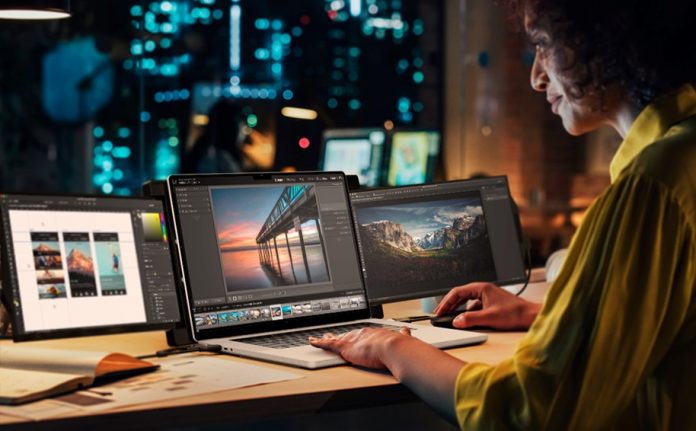
Adding multiple desktops to your workspace has many advantages. Still, if you want to unlock their biggest benefits (up to a 35.5% boost in productivity and a 33% reduction in error), you’ll need to use them right. Otherwise, you’ll be context-switching your way to overtime, as it costs 23 minutes and 15 seconds to recalibrate to the task at hand.

Sounds like a real party pooper, right?

Well, it’s anything but.

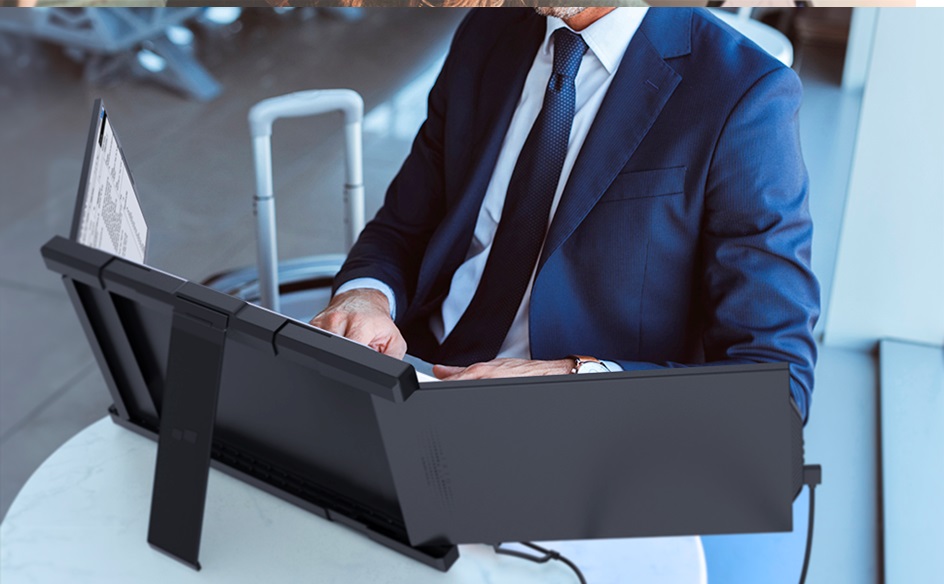
With Mobile Pixels TRIO laptop screen extender and some tips and best practices, you can unlock a level of performance that will help you climb the ladder in your career.

Use Task View to Switch Between Desktops

With so much screen real estate available, the potential for distraction is exponential, which can be detrimental to your cognitive capabilities. But there is a solution: new desktops. They allow you to shift the reference documents, software, and applications you don’t need to the flexible and easily accessible desktops (via the taskbar) to minimize the risk of distractions.

You can create one through ‘Task View’ > ‘New Desktop’ and manage it by pressing Windows Key + Tab, which gives you access to your open windows.

And now all that’s left is for you to pick the right window and get to work!

Personalize Your Screens 

Personalization will pave the way to a more pleasant working experience. You can tweak the font size, change the desktop background, choose your preferred mode, and even move the screens around to tailor it to your preferences. 

Rearrange Your Displays

Display configurations go beyond desktop mirroring, which duplicates the content on your primary monitor on the spares. You can use each monitor as a separate tool with its own taskbar, documents, and settings.

You can also rearrange your displays. Head to Settings > System > Display > then click the ‘Detect’ button. Once you see the arrangement of the monitors, click and drag each screen to the desired position, ensuring they match their physical orientation. Then, click on ‘apply’ to save the changes.

You could also make any of the three monitors your primary screen by checking the box ‘Make this my main display’ to enjoy your expanded workspace. 

Play with the Display Settings

Our laptop screen extender is available in 13.3 and 14.1-inch variations, suitable for 13 to 17.3-inch laptops. But while we stick to industry standards, there might be some projection issues, especially if your OG display has a significantly superior resolution.

Fortunately, you can easily adjust the brightness for a cohesive appearance. We also recommend using a monitor calibration tool for supreme color accuracy. 

Speed Things Up with Keyboard Shortcuts

Keyboard shortcuts help you get work done quickly and precisely without reaching for the mouse or trackpad. You can customize them to your preference and display them on one of the spare screens, available at a glance.

Alternatively, you can tap into programs like DisplayFusion.

Once you begin using these shortcuts, you’ll be left wondering how you survived without them. They bring many benefits that will make your multi-monitor life much easier. 

Smart Collaboration Via Virtual Desktops

If you’re a remote worker who must collaborate with many different people to see a project to completion, virtual desktops can come to your aid. They allow users from anywhere in the world to access a preconfigured image of your operating system and communicate and collaborate in real time.

And the best thing is that it mirrors the usability of an actual computer without any physical components. This will allow you to get work done more efficiently and keep all team members on the same page. Eliminate the risk of lags, repeat meetings on Zoom, and other such unpleasantries.
Pointers for the Pointer

Your mouse pointer can disappear sometimes—out of sight, but clearly not out of your mind! When that happens, instead of frantically searching for it and turning your neck from left to right, bring that baby home with this simple hack:

  • Look for ‘Mouse’ in the search box on your taskbar.
  • Click on Additional mouse options.
  • In ‘Mouse Properties,’ find the ‘Pointer Options’ tab, then click ‘Show location of pointer when I press the CTRL key,’ and you’re all set.

On a Mac, shake the mouse pointer rapidly and continuously to locate the culprit.

If the cursor becomes corrupted or stuck, you can try updating your driver. 

Unleash Maximum Performance with Mobile Pixels

If you want to elevate your performance at work, this genius accessory will set you up for success with increased screen real estate, better multi-tasking possibilities, and superior ergonomics. All at a price that won’t break the bank.

Visit our website today to unlock your full potential.
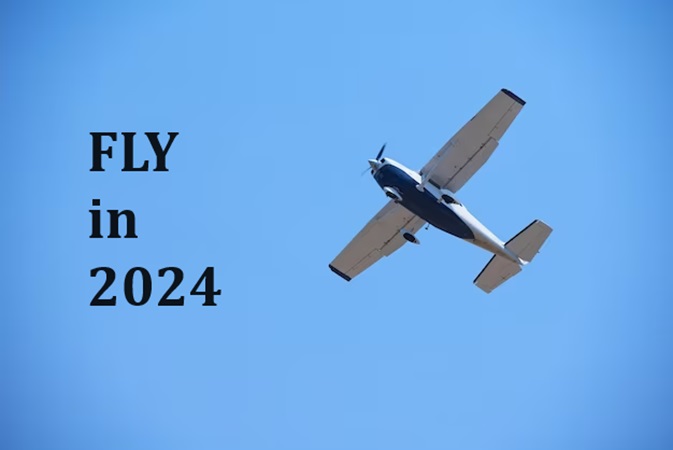
Fly in 2024; Register for Tekedia Mini-MBA

0

Good People, it is that time of the year. Yes, the next edition of Tekedia Mini-MBA will begin on Feb 5 2024  for 12 weeks. Yours truly, a certfied gloCal citizen, local and global, will anchor the academic festival. I am reminding you to register today before the early bird discounts end.

More learners attend our business program than any business program in Africa. And more universities send their final year students to spend 3 months in our program, as they graduate, than to any other institution in Africa. From India to Singatore, Nigeria to Canada, UK to China, and beyond (check our site testimonial page), global citizens converge at Tekedia Mini-MBA.

You must FLY in 2024 with us, and you need to register right now. From Oriendu Market Ovim (Abia State) to Goldman Sachs trading desk in New York, we have covered all components of business management and leadership, at a very small fee.  Go here and pick your academic ticket to FLY in 2024 https://school.tekedia.com/course/mmba13/

Fly, my good friend, and fly with Ndubuisi and our world class eminent faculty members from companies you love and admire. Master the mechanics of building companies, and THRIVE. This is your year to fly into greater opportunity; Tekedia Institute is ready to prepare you as a pilot of greater future, opportunity and abundance. Get in now…REGISTER

Ndubuisi Ekekwe

Lead Faculty, Tekedia Institute

CAF Increases AFCON Prize Money by 40% ($7m), DStv to Miss Broadcast Rights

0

As the 34th African Cup of Nations (AFCON) approaches, the Confederation of African Football (CAF) has made a significant announcement, shaking up both the prize money and the broadcasting landscape for the continent’s most prestigious football tournament.

In a move to amplify the tournament’s allure, CAF revealed a 40% hike in prize money for the 2023 AFCON in Côte d’Ivoire. The winner of this edition is set to secure a substantial $7 million, marking a notable surge from the previous prize. The runner-up is poised to receive $4 million, with $2 million each guaranteed for the two semi-finalists and $1 million for each of the four quarter-finalists.

Patrice Motsepe, the President of CAF, emphasized the significant strides made by the organization in bolstering prize money for not only AFCON but also its other premier competitions.

In a statement to cafonline.com, Motsepe affirmed, “CAF has made significant progress over the past two years in increasing the prize money of the AFCON and all its other major competitions. We have increased the prize money of the AFCON winner to $7,000,000, which is a 40% increase from the previous AFCON prize money.”

Motsepe also expressed confidence in the financial boost benefiting football development and various stakeholders, including member associations, anticipating positive impacts on their administrative capacities.

“I am confident that a portion of the prize money will contribute to developing football and also benefit all the football stakeholders, as well as assist our member associations with their administrations,” he added.

This raise continues a trend of increment in African football prize money in recent years. The 2021 AFCON champions were rewarded with $5 million, a notable increase from the previous $4.5 million. In 2019, the prize money was $4 million, a substantial 64% leap from $1.5 million, demonstrating CAF’s concerted efforts to elevate the tournament’s financial stature.

However, a seismic shift occurred in the broadcasting realm just days before the tournament’s kickoff, as Multichoice’s DStv channels announced they wouldn’t air the biennial event. The decision was attributed to the failure to secure broadcasting rights for the tournament.

“SuperSport Channel will not broadcast the Africa Cup of Nations (AFCON) 2023 scheduled for January 13th to February 11th, 2024, because the channel has not secured the rights to broadcast the tournament,” Multichoice announced.

This development comes following the acquisition of the broadcasting rights by Togolese broadcaster New World TV for all CAF competitions in the Sub-Saharan Africa region, ousting previous holders, including SuperSport International and Canal Plus.

The three-year deal between New World TV and CAF encompasses rights for 13 competitions, including the 2023 and 2025 AFCON tournaments across 46 countries in the region. Consequently, free-to-air stations in these nations seeking to broadcast AFCON and other CAF competitions must sublicense rights through New World TV.

This abrupt blackout on DStv, a longtime broadcaster of football content across Africa, particularly disheartens Nigerian viewers, leaving them bereft of the opportunity to watch the Super Eagles’ pursuit of a fourth AFCON title.

However, the absence of AFCON on DStv signifies a paradigm shift in African football television rights, posing both challenges and opportunities for broadcasters and viewers across the continent

CPPE Predicts A Better Economy for Nigeria in 2024

0

In a recent analysis aired on Arise Television, Dr. Muda Yusuf, the Chief Executive Officer of the Centre for the Promotion of Private Enterprise (CPPE), provided a nuanced forecast for Nigeria’s economic trajectory in 2024. His projection, amidst cautious optimism, highlighted a potential for stability after the turbulent economic growth experienced in 2023.

Dr. Yusuf noted that 2023 was a year marked by pivotal transitions that included the national elections, a critical event during this period, that brought about economic uncertainties, casting a shadow of doubt and impact on the country’s economic rhythm. There’s also the introduction of the Naira redesign policy, which further complicated matters, disrupting the initial quarters of 2023 significantly.

Addressing these challenges, Dr. Yusuf stated, “We had the political transition, which has to do with elections, which came with its issues, which impacted the economy, especially around uncertainty. And of course, we had the terrible Naira redesign policy, which practically messed up the first quarter, going into the second quarter of 2023.”

However, he noted that there have been strides since then. The government has gradually adapted to these reforms, seeking to reduce dependence on imported petroleum products. These efforts are expected to alleviate pressure on the currency market, potentially leading to a stabilization of economic conditions.

“Government efforts to decrease dependence on imported petroleum products… are projected to ease pressure on the currency market and stabilize economic conditions,” he noted.

Additionally, the CEO cited the Central Bank’s strategic handling of foreign exchange maturity obligations and fiscal consolidation measures as positive contributors to the anticipated stability.

“Government efforts to decrease dependence on imported petroleum products, a major drain on foreign exchange reserves, are projected to ease pressure on the currency market and stabilize economic conditions,” he noted.

“The Central Bank of Nigeria’s approach to addressing the backlog of foreign exchange maturity obligations further contributes to expected currency stability.

“Government initiatives aimed at fiscal consolidation and boosting revenue generation are anticipated to strengthen the overall economic landscape.”

Dr. Yusuf also highlighted the differential impact of these economic shifts across various sectors. Sectors heavily reliant on imports or grappling with soaring energy costs are anticipated to confront significant challenges. Conversely, sectors boasting strong local content or advanced stages of backward integration are expected to display resilience in the face of these challenges.

“The higher your exposure [to foreign exchange], the higher the challenges, the higher the shocks,” Dr. Yusuf said.

The Manufacturers Association of Nigeria (MAN) corroborated these concerns, projecting a cautious outlook for the manufacturing sector in its “Manufacturing Sector Outlook for 2024.” MAN anticipates that forex-related challenges and high inflation rates will restrict manufacturing performance until at least mid-2024. It foresees average capacity utilization hovering around the 50% mark during this period. However, a modest improvement in manufacturing output is anticipated in the third quarter as these challenges gradually ease.

Dr. Yusuf’s analysis entails a cautious optimism for 2024, acknowledging the varied impact of economic shocks on different sectors based on their exposure to forex and energy costs. Despite the challenges outlined by both CPPE and MAN, there exists a tentative hopefulness for Nigeria’s economic stability in 2024.

“I don’t share the view that 2024 will be worse than 2023. Of course, those challenges will persist, especially for manufacturing.

“Challenges around foreign exchange, particularly for manufacturing businesses and even other businesses that have high foreign exchange exposure,” Dr Yusuf said.

The delicate balance between governmental interventions, sectoral adaptability, and the gradual mitigation of economic shocks might pave the way for an improved economic outlook by the year’s end.

Microsoft Announces Plan to Introduce Copilot Key on PC Keyboard, to Enhance User’s Productivity With AI

0

American multinational technology corporation, Microsoft, has announced the plan to introduce Copilot key on the PC keyboard, to enhance users’ productivity with Artificial Intelligence (AI).

Based on the image posted by Microsoft, it is expected that the new Copilot key will replace the right Control key on the standard PC keyboard, where it will slot in between the Alt key and the left arrow key.

The company’s Executive Vice President & Consumer Chief Marketing Officer, Yusuf Mehdi, said the introduction of the Copilot key on the PC keyboard, will empower users to participate in the AI transformation more easily, which will enhance their work.

In his words,

The introduction of the Copilot key marks the first significant change to the Windows PC keyboard in nearly three decades. We believe it will empower people to participate in the AI transformation more easily. The Copilot key joins the Windows key as a core part of the PC keyboard and when pressed, the new key will invoke the Copilot in the Windows experience to make it seamless to engage Copilot in your day-to-day.”

In regions where Copilot is not available, the Copilot key will launch Windows Search. The first keyboards with the new key will launch at this year’s CES in Las Vegas and will likely start shipping in late February.

About Microsoft Copilot

Microsoft Copilot is a chatbot developed by Microsoft, which was launched as Bing Chat on February 7, 2023, as a built-in feature for Microsoft Bing and Microsoft Edge. The chatbot is based on a large language model (LLM). Over the course of 2023, Microsoft began to unify the Copilot branding across its various chatbot products.

Copilot utilizes the Microsoft Prometheus model, which was built on top of OpenAI’s GPT-4 foundational large language model, which in turn has been fine-tuned using both supervised and reinforcement learning techniques. Copilot’s conversational interface style resembles that of ChatGPT.

The chatbot enables users to work smarter, be more productive, boost creativity, and stay connected to the people and things that matter to them.

Also, it enables them to get helpful, summarized answers, turn their inspiration into something amazing, and help them in writing whenever they want.

Notably, Copilot can cite sources, create poems and songs, and use its Image Creator to generate images based on text prompts. It can also understand and communicate in numerous languages and dialects.

At its Build 2023 conference, Microsoft announced its plans to integrate Copilot into Windows 11, allowing users to access it directly through the taskbar.