

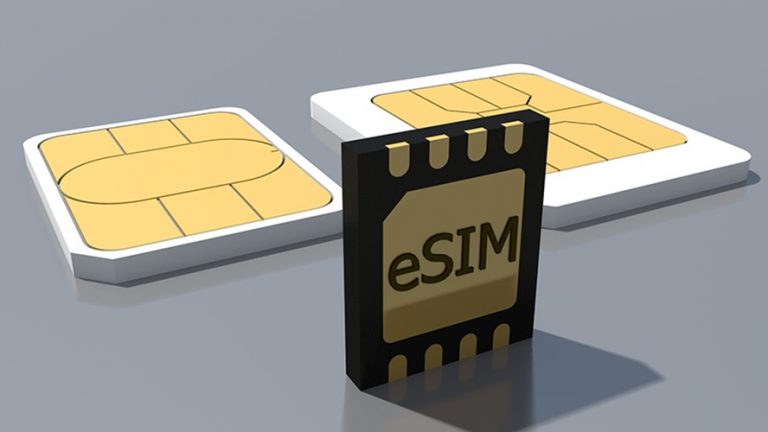
Every traveler knows the fear of the roaming bill. An eSIM removes it. Instead of hunting for a local SIM card at the airport, you download a mobile plan before you leave home. The technology is no longer niche either. By 2025, it is anticipated that over 2 billion eSIM-enabled devices will be in use worldwide. This guide explains exactly how eSIM works across borders, and how to use one without paying too much.
What an eSIM Actually Is
An eSIM is an embedded SIM. It is a small chip soldered directly into your phone at the factory. It does the same job as the plastic SIM card you know, but you cannot remove it. Instead, you load carrier profiles onto it digitally.
Think of it as software instead of hardware. One eSIM chip can store several profiles at once. You keep your home number active while adding a travel plan on top. Switching between them takes a few taps in your settings.
How Does eSIM Work Internationally, Step by Step
International eSIMs rely on partnerships between your provider and mobile networks in each destination. When you land, your phone latches onto a partner network automatically. You do not swap anything physically. Here is the typical flow.
- You buy a data plan online for your destination or region.
- The provider sends a QR code or an activation link by email.
- You scan the code and install the profile, ideally over Wi-Fi before departure.
- You toggle the travel plan on when you arrive, and data starts flowing.
The whole setup takes minutes. Most providers let you install the profile days in advance and only start the clock when you activate data abroad. That flexibility is the real advantage over a local SIM.
Regional Plans Versus Single-Country Plans
International eSIM plans come in two main shapes. Choosing the right one saves money and hassle.
- Single-country plans:best value if you stay in one place. Ideal for a week in Japan or a business trip to Singapore.
- Regional and global plans:one profile covers many countries. Perfect for a multi-country Europe trip or a round-the-world route.
My advice is simple. If your itinerary crosses two or more borders, pick a regional plan. Reinstalling a new eSIM in every country wastes time you would rather spend exploring.
Does Your Phone Support eSIM?
Not every device works. Check compatibility before you buy anything. Most flagship phones from the last few years qualify.
- iPhone XS and newer, including every model since.
- Google Pixel 3 and later.
- Samsung Galaxy S20 and later, plus recent foldables.
Your phone must also be carrier unlocked. A device tied to a home carrier may refuse a foreign profile. To confirm, open your settings and look for an option to add a cellular or mobile plan. If it is there, you are ready.
What It Costs, and Where the Savings Come From
Standard roaming can cost several dollars per megabyte. International eSIM data usually costs a few dollars per gigabyte. The gap is enormous, and it explains why adoption is climbing so fast.
The market backs this up. GSMA Intelligence predicts around 850 million eSIM smartphone connections globally by 2025, growing to 6.7 billion by 2030. Providers keep prices low because they buy wholesale data from local carriers and pass the savings on. You pay only for the plan you choose, with no contract and no surprise fees.
How to Choose a Reliable Provider
Coverage and support matter more than the headline price. A cheap plan is worthless if it drops signal in the city you are visiting. Weigh these factors before buying.
- Network partners:check which local carriers the plan uses.
- Data allowance:unlimited plans suit heavy users, capped plans suit light ones.
- Validity window:match the days to your trip length.
- Customer support:24/7 help by chat saves a ruined evening abroad.
It helps to understand the basics before you commit. Providers like Holafly publish plain guides on what an esim is and how activation works, which is worth reading before your first purchase. For a destination-specific breakdown, our roundup of the best eSIMs for Singapore shows how plans compare on price and speed in practice.
Common Mistakes to Avoid
A few errors trip up first-time users. Dodge them and your trip stays smooth.
- Do not delete your home SIM profile. Keep it for calls and texts on your usual number.
- Turn off data roaming for your home plan to avoid accidental charges.
- Install the eSIM on Wi-Fi at home, not on airport data you may not have yet.
- Check whether your plan includes a local number. Many are data only.
Frequently Asked Questions
Can I keep my home number while using a travel eSIM?
Yes. Your physical SIM or main eSIM stays active for calls and texts. The travel eSIM handles data. This dual setup is one of the biggest reasons travelers switch.
Do international eSIMs give me a local phone number?
Usually no. Most travel plans are data only. You can still call and message through WhatsApp, FaceTime, or similar apps over that data.
Will one eSIM work in multiple countries?
It depends on the plan. Regional and global plans cover many countries on a single profile. Single-country plans work only in the nation you selected.
How much data do I really need per day?
Light users browsing and messaging need about 500 MB daily. Heavy users streaming maps and video should plan on 1 to 2 GB per day, or choose an unlimited plan.
What happens when my plan runs out?
Your data simply stops. You then top up through the provider app or buy a new plan. Nothing installs again, since the profile stays on your phone.
The Bottom Line
An international eSIM turns a stressful part of travel into a two-minute task. You arrive connected, skip the roaming trap, and control your spending. Check your phone compatibility, match the plan to your route, and install before you fly. Do that, and staying online abroad stops being a worry.