

You find a spot that looks pretty good, start thinking about the house, and then realize the biome you wanted is nowhere nearby. Great. Twenty minutes of walking for that.
Checking the world first can save some of that wandering. A minecraft biome locator can show you where different biomes sit before you start carrying chests, animals, and half your inventory across the map.
But finding the biome is only the first step. You still need to check what the place looks like in the actual world.
Decide What You Need From the Biome
Start with the build.
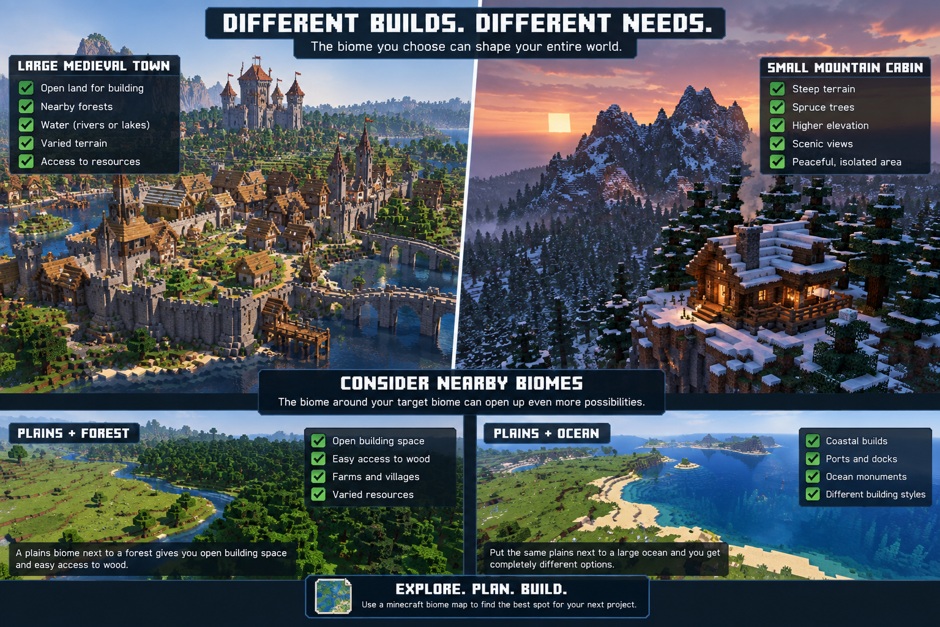
A large medieval town needs very different terrain from a small mountain cabin. For a town, you may want open land, nearby forests, and water. For the cabin, steep terrain and spruce trees might matter more.
The biome can affect what resources are easy to find nearby too. Wood is an obvious example. Building a large wooden base gets annoying pretty quickly when the trees you want are far away.
This is where a minecraft biome map comes in handy. You could just pick a direction and keep walking, sure. Or check the map first and at least know roughly where you’re going. And yeah, look around the biome too, not just at it.
A plains biome next to a forest gives you open building space and easy access to wood. Put the same plains next to a large ocean and you get completely different options.
So don’t search for one biome in isolation.
Check the Seed Before You Start Building
Once you have a seed, take a look at its wider layout.
A seed map minecraft bedrock tool can help you check the world before committing to one location. Look at where the biome sits and what else is close to it.
Say you want to build in a snowy area. Finding snow is easy enough. But what if the nearest useful forest is a long trip away? Or maybe the snowy area is tiny and surrounded by terrain you don’t like.
A seed biome map can make those problems easier to spot early.
Check a few things before choosing the location:
- How large is the biome?
- What biomes are next to it?
- Is there water nearby?
- Can you reach forests without a long trip?
- Is there enough room for the planned build?
- Are there interesting areas nearby for later projects?
You don’t need a perfect answer for every point. You’re just trying to avoid an obvious headache before putting hours into the base.
Don’t Trust the Map More Than the World
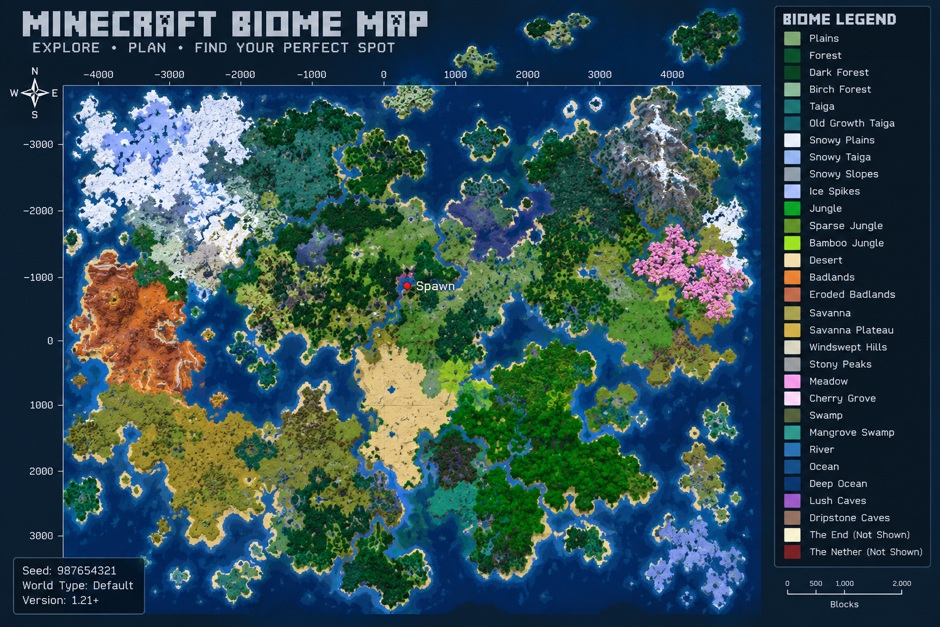
Maps help, sure, but they only show so much. A minecraft biome map might get you into the right area. What that place actually looks like? You still need to go see it. It won’t necessarily tell you whether that exact hill, riverbank, or valley feels good once you’re standing there.
chatgpt.com
Load the seed and explore it yourself.
Walk beyond the place where you plan to put the first house. Check the terrain from above if you can. Look for awkward cliffs, deep holes, water, and anything else that could get in the way later.
This matters even more for a large project. A location might have enough room for one house but become cramped once you add farms, storage, paths, and another building.
Tools from Godlike can help with the early search, but the final decision still makes more sense inside Minecraft.
Look a Little Farther Ahead
Your first build probably won’t be your last.
Maybe you start with a house and a farm. Then you add a village. After that, someone decides the hill nearby needs a castle. Suddenly that empty land you ignored matters quite a lot.
Use a minecraft biome locator to find a promising area, then check beyond its borders. A seed biome map is especially handy here because you can see whether other useful biomes are reasonably close.
And don’t worry if the first location isn’t right. That’s the nice part about checking before you build anything serious. You can keep looking without leaving behind hours of work.
A good building spot doesn’t need perfect terrain. It just needs enough space, useful resources nearby, and a landscape you actually want to spend time in.