


Audio clarity defines the quality of any professional video production today. The background noise distorts sound design or spoken words, and the audience quickly loses focus. Traffic noise, wind noise, and electrical noise from recording equipment are common disruptions. Such issues undermine credibility and divert audience attention. The existing AI cleaning tools can address these issues with precision and speed. Pippit and other solutions provide effective ways to improve audio quality without complex processes.
Common Issues Caused by Background Noise
Visual storytelling is distorted by background noise, which diffuses the effect. Wind noise is a cause of distortion that overwhelms speech and natural sound. Traffic noise is a constant distraction that interferes with the comfort of listening. Electrical interference causes humming and degrades audio quality. Closed spaces have hollow reflections. Microphone distortion causes clipping and uneven sound levels. Pippit AI video generator helps to identify and reduce such issues. With these problems resolved, it is possible to have a more pleasant and professional viewing experience.

Role of AI Cleanup Tools in Modern Video Editing
The application of AI-powered tools has transformed the editing of complex audio issues into the hands of editors. They are systems for analyzing sound patterns and automatically identifying unwanted noise. The AI tools are quicker and more accurate at handling large volumes of data than traditional techniques. Pippit uses intelligent cleanup within a single editing space. The platform relies on advanced models like Seedance 2.0 to make the best out of editing. The editors can then focus on creative decisions rather than correcting technical aspects. This revolution goes a long way toward increasing production and the quality of the finished product.

Understanding AI-Powered Noise Reduction
Noise reduction is an AI application that separates the desired audio signal from unwanted background noise. Machine learning models detect patterns of voice frequencies and background noise. These systems can isolate speech and eliminate distractor sounds. Time-consuming changes and expertise characterize manual cleaning. This is made easier through AI-based methods that are precise and automated. Noise cancellation is real-time and can be checked on the spot during recording, once the audio has been processed by tool to produce smooth outputs. Pippit delivers dependable, consistent results by integrating the two strategies.
Types of Background Noise Addressed by Pippit
Pippit explains a wide range of audio disruptions in video production. The surrounding noises often outmuscle outdoor recording, e.g., wind and traffic. The reverberation and echoes of the indoor environment distort the clarity of speech. Microphone hum can be caused by electrical interference or improper grounding of equipment. The background interruptions are abrupt, leading to discontinuous listening. Pippit detects and eliminates these noises using adaptive AI algorithms. The speech is articulated and well-balanced all over the video. This aspect enhances the development of professional and informal content.
AI Cleanup Tools Available in Pippit
Pippit supplies elaborate instruments that improve the sound quality. Automatic noise reduction removes unwanted noise without affecting voice quality. Improving audio capabilities adjusts tone, pitch, and overall balance. The merging with captions will ensure adequate speech-to-text synchronization. Voiceover technology allows replacing or improving recorded audio tracks. The free AI video editor environment makes advanced features easily accessible. The editors can handle audio and visual content on a single platform. This integration makes the entire production process easy.
Steps to Remove unwanted background noise using AI Video Editor cleanup tools
Step 1: Access the audio cleanup workspace
-
Sign up for Pippit and access the platform.
-
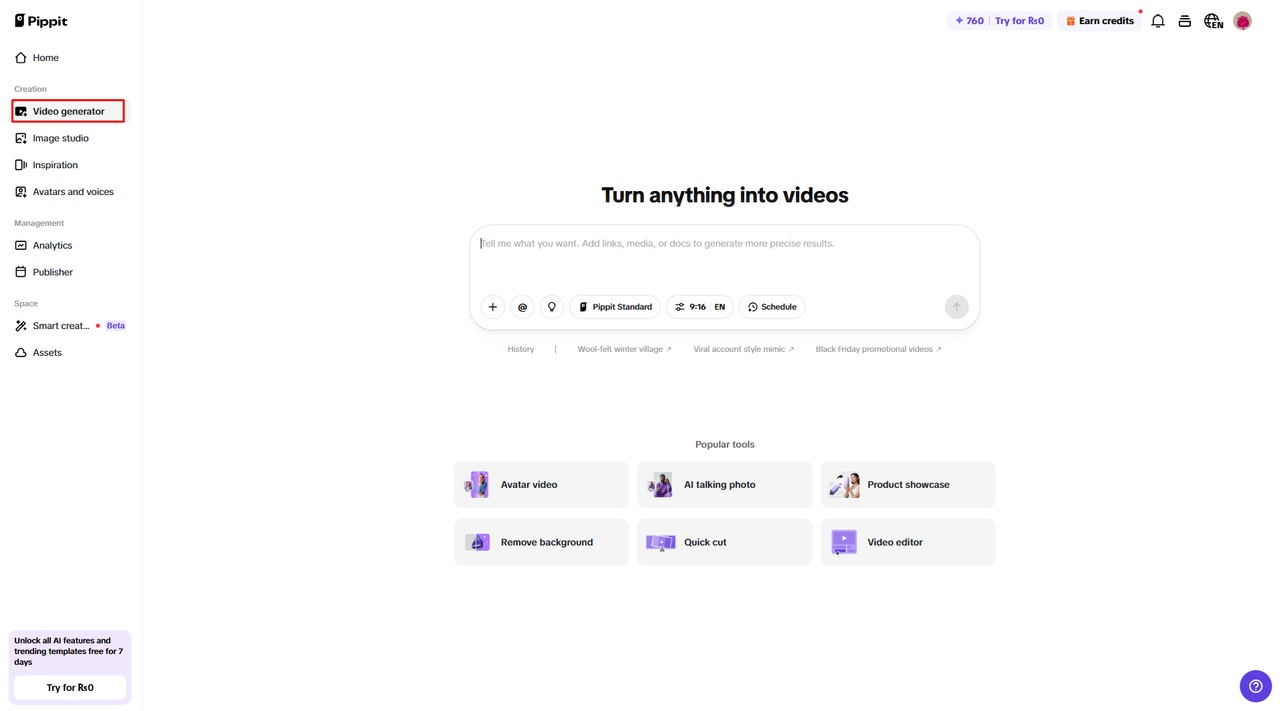
Find & open “Video generator” in the left sidebar under the “Creation” section.
-
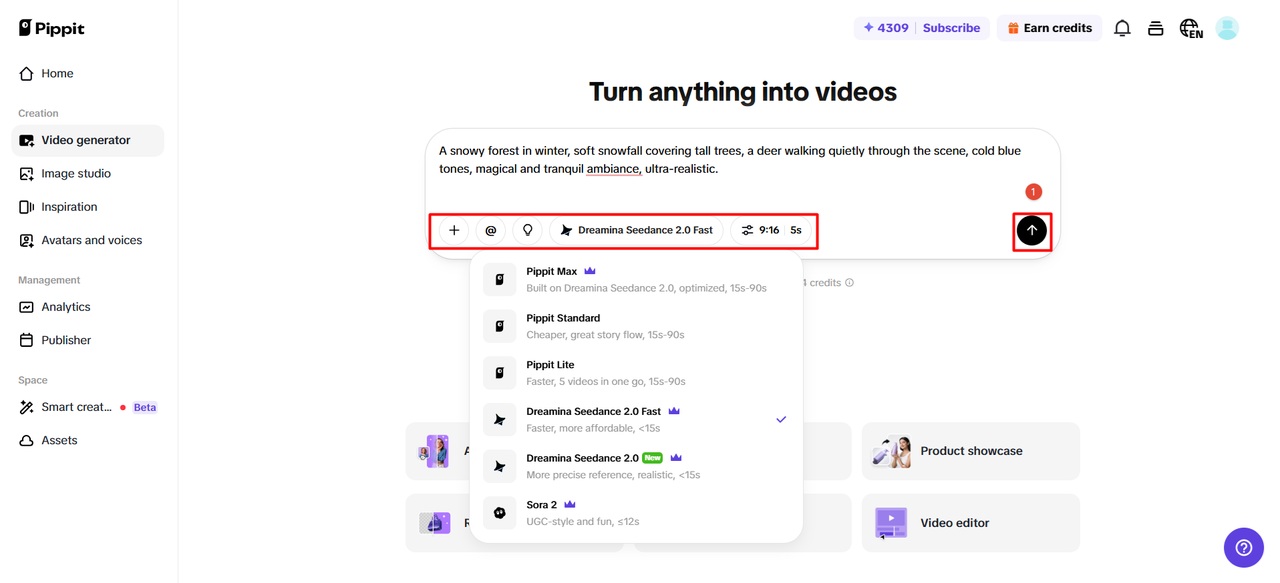
Select an AI model, such as Dreamina Seedance 2.0, Dreamina Seedance 2.0 Fast, Sora 2, Pippit Standard, Pippit Max, or Pippit Lite for your video generation.
-
Enter a detailed text prompt describing your desired clean audio output.
-
Choose video length, language, subtitles, and aspect ratio if required.
-
Click the “+” button to upload your video file from your computer, a link, your Assets library, mobile device, or Dropbox storage.
-
Click “Generate” to proceed.
Step 2: Let AI clean and enhance audio
-
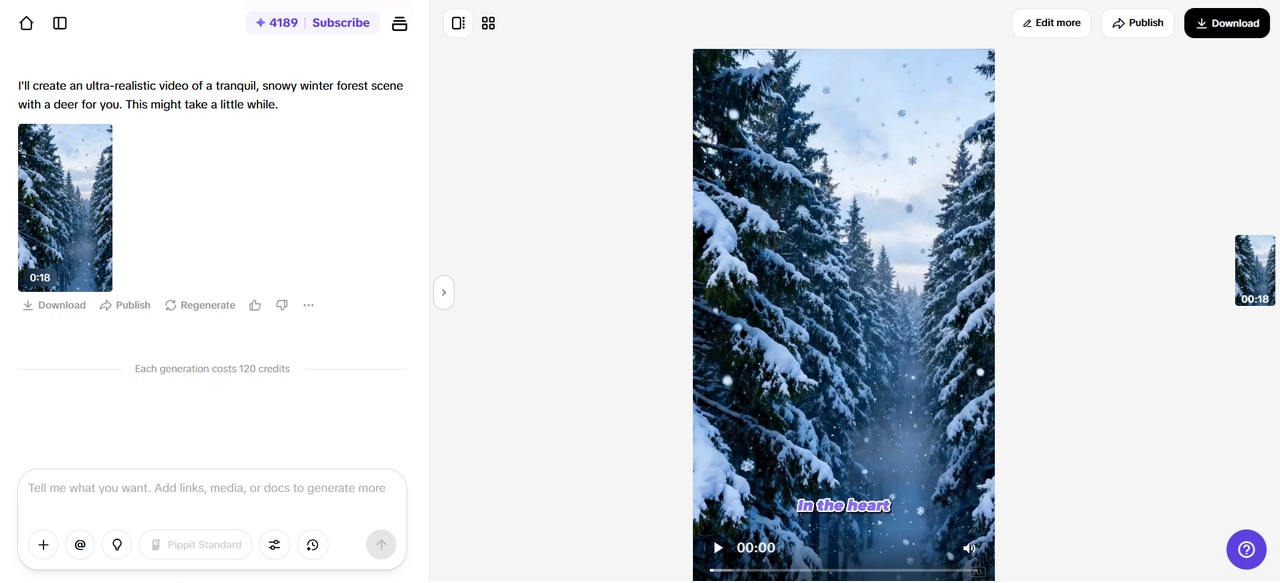
After clicking “Generate”, Pippit’s AI processes your video and removes background noise.
-
The AI also improves voice clarity, balances sound, and adjusts audio levels.
-
A refined video draft is generated for preview.
Step 3: Adjust and export polished audio
-
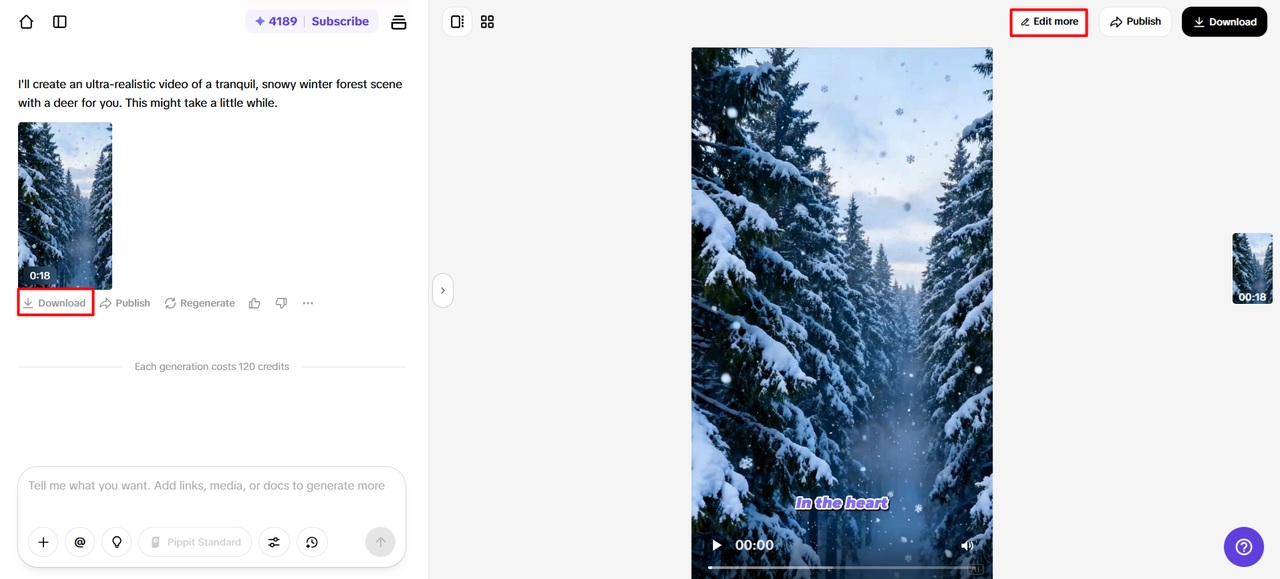
Click “Download” to save instantly or “Regenerate” for better results. Use “Edit more” to fine-tune audio.
-
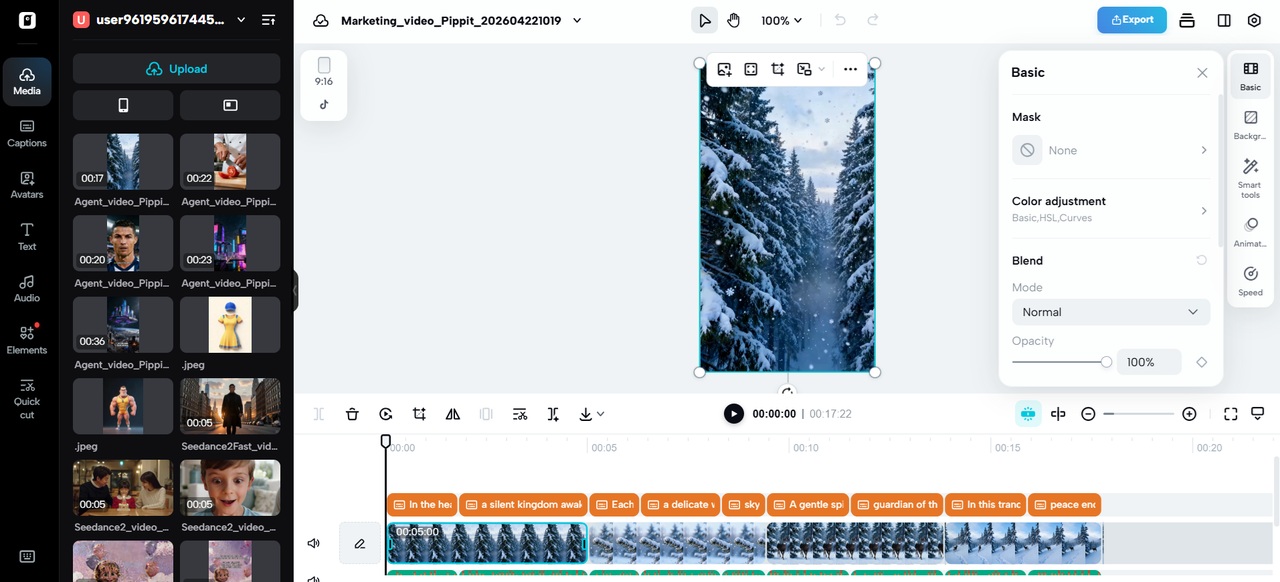
Modify captions, adjust sound levels, and enhance clarity.
-
Add background music or remove unwanted sounds completely.
-
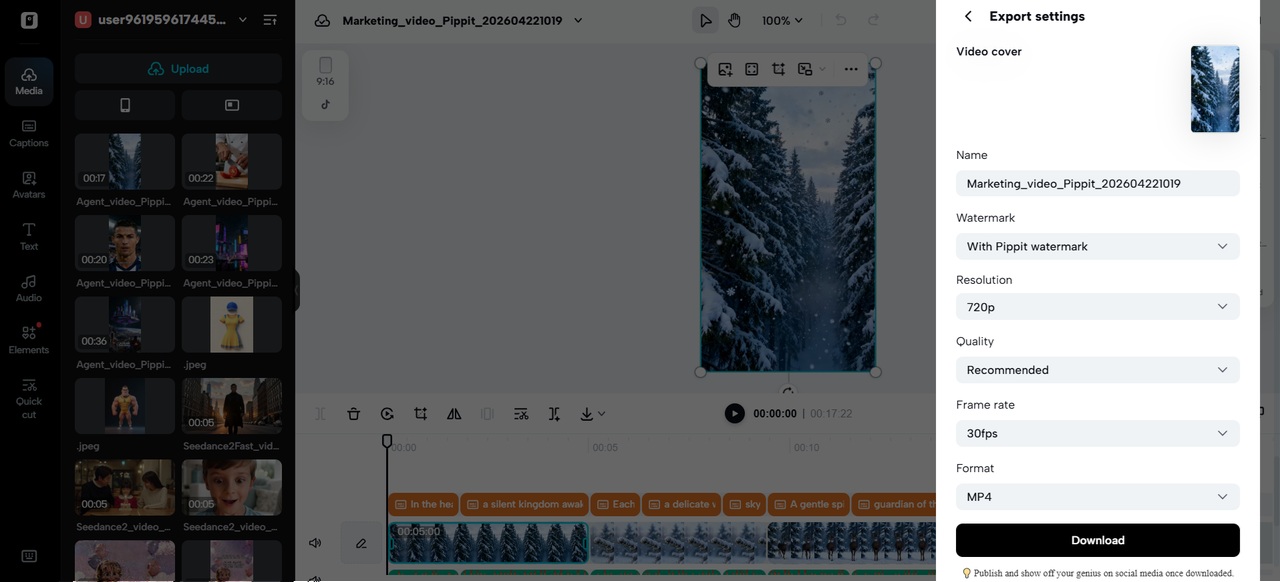
Click “Export” when satisfied.
-
Choose “Publish” or “Download” with preferred output settings.
Practical Workflow for Clean Audio Editing
A sequential workflow will ensure successful, consistent audio cleanup for video works. Begin with a raw recording in which there is an apparent background noise. Apply AI cleaner tool to remove the unwanted sounds. Test the processed audio to see if any remaining issues remain. Manual adjustments were made to fine-tune and achieve optimal clarity and balance. Pippit simplifies all operations with embedded tools and easy-to-use controls. This is done without compromising professionalism, as much effort is saved. The more one practices, the faster and more effective he/she becomes in editing.
Conclusion
Good audio is also essential for delivering effective, professional video content. Background noise disrupts communication and makes the audience less interested. High-quality sound can be achieved with AI-powered tools. Pippit presents practical solutions, which are both automated and accurate. The platform allows creators to edit audio without complex processes. The quality of production increases with the regular use of these tools. Good sound ensures that all messages are delivered to the audience.