

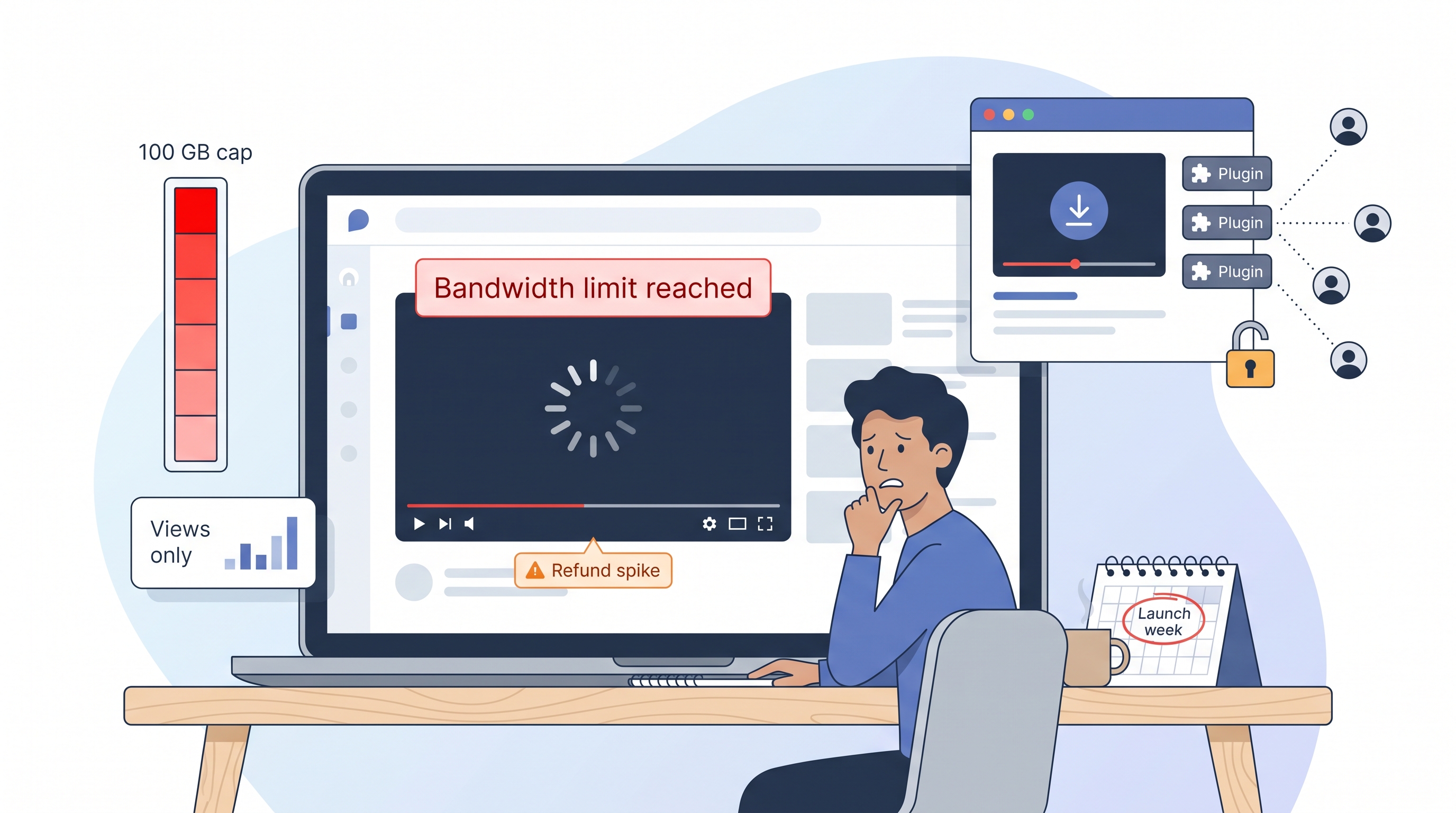
Buffering lessons kill motivation and spike refund requests. If your Thinkific videos stall, students blame you—not the platform. That risk multiplies when rogue downloader plugins leak your premium content.
A secure, reliable video host keeps streams crisp, your IP locked behind the paywall, and your profit margin healthy. We compared 25 options and ranked the 10 best video hosts for Thinkific in 2026.
Inside this guide you’ll see exactly how each contender protects your content, fits your workflow, and scales with a growing cohort—so you can teach without tech anxiety.
Why Thinkific course creators need secure video hosting
Thinkific lets you drag and drop a lesson, press publish, and enroll students. Yet once your first cohort binge-watches those HD videos, the hidden limits surface.
Every Thinkific plan caps monthly bandwidth. The Basic tier stops at 100 GB—roughly a few hundred plays of a 60-minute lesson—before overage emails arrive. Exceed that limit twice and Thinkific urges you to upgrade or cut content, which stalls growth.
Bandwidth is only one risk. Public platforms such as YouTube expose unlisted links, and a single downloader plugin can copy an entire premium course. Students share links, and revenue slips away.
Performance matters too. Buffering breaks focus, slow start times sap enthusiasm, and view-only analytics leave you blind to rewind points or drop-offs.
Creators asking Reddit or Facebook echo two questions:
- How do I stop people from stealing my content?
- How do I afford streaming when my next launch reaches 500 students?
A dedicated, secure video host solves both. The right platform encrypts streams, locks playback to your Thinkific domain, and prices bandwidth so success feels like a win instead of a penalty.
Seasoned instructors often point to Spotlightr as a textbook example: its encrypted HLS stream pairs with viewer-specific watermarks and strict domain whitelisting, so even if a student shares a raw link, playback fails outside Thinkific.
Spotlightr’s security docs note that common downloader plugins cannot capture a playable file—at best they retrieve an unusable, still-encrypted fragment—which closes the loophole many course pirates rely on.
How we researched and ranked the platforms
We started with a clean slate and one question: which video hosts truly serve Thinkific creators in 2026?
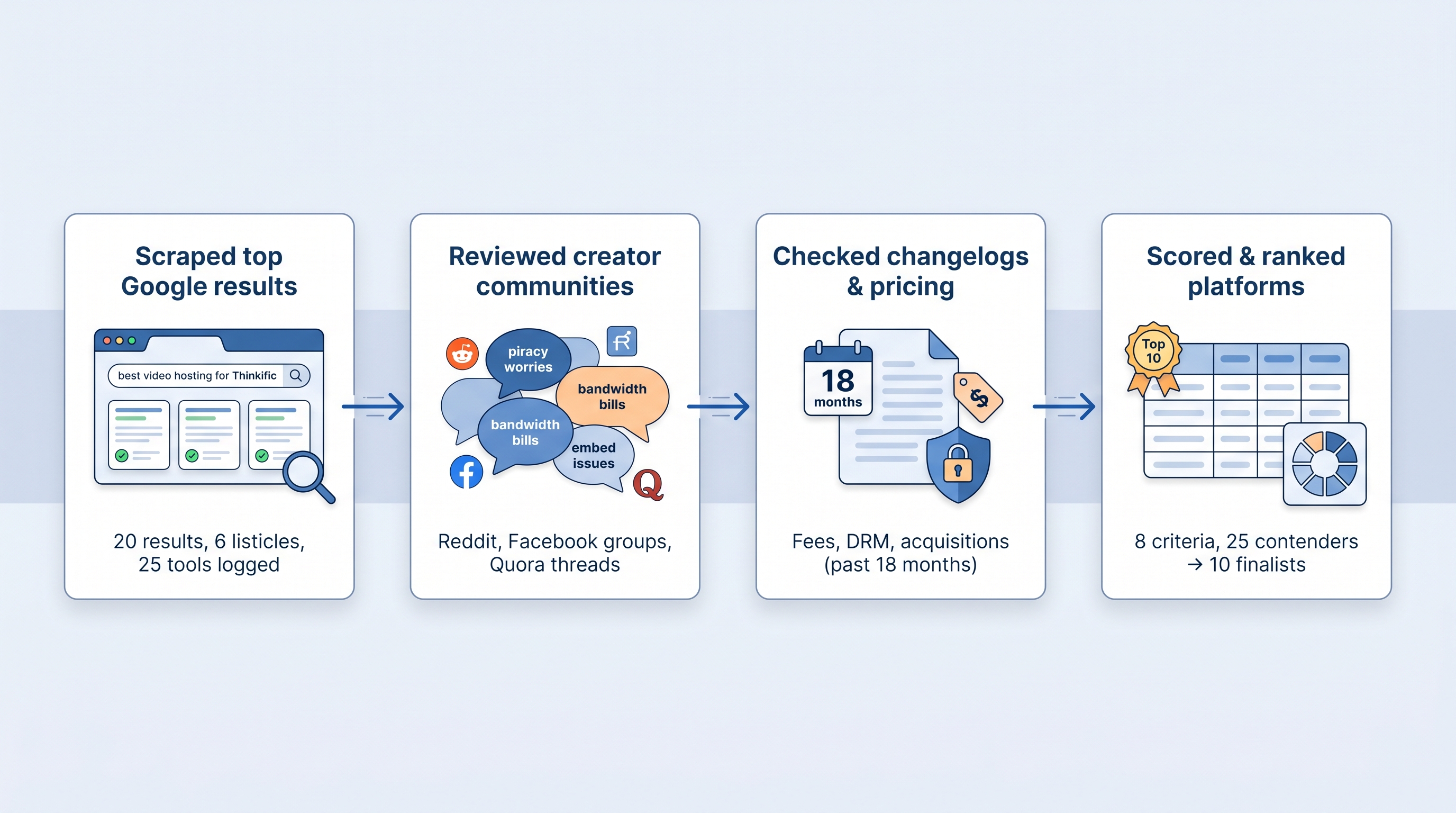
First, we scraped the top 20 Google results for phrases such as “best video hosting for Thinkific” and “secure course video platform.” That produced six competitor listicles to dissect. We logged every product they named, every feature they praised, and every gap they left.
Next, we visited Reddit’s r/Thinkific, Facebook mastermind groups, and Quora threads. Real users kept circling back to the same pain points—piracy worries, surprise bandwidth bills, and shaky embeds—so those became non-negotiable criteria.
Then we scanned changelogs, pricing pages, and news releases from the past 18 months. If a platform hiked fees, added DRM, or was acquired, it went into our notes. Outdated advice dropped off the list.
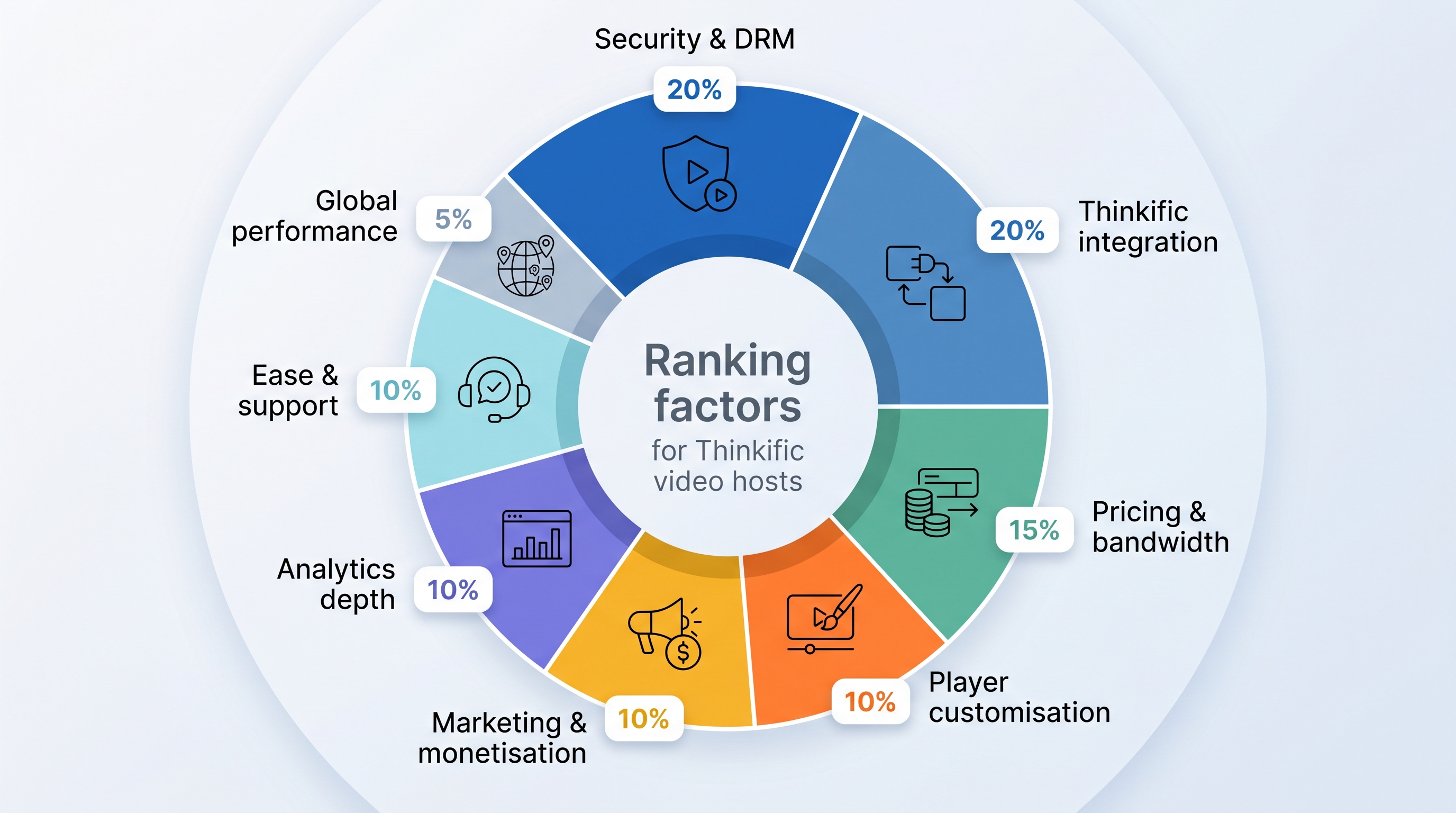
Finally, we scored 25 contenders against eight weighted factors. Security and Thinkific integration carried the most weight, price followed, and experience features rounded out the rest. The 10 highest totals made the cut, and the rank you will see in the next sections follows those cold numbers, not sponsorships or hunches.
That roadmap sits behind every recommendation you are about to read.
What we measured: the eight criteria that decide winners
Before we mention brands, we need shared yardsticks. Without them, a budget-minded instructor and a piracy-worried coach could read the same review and leave confused.
- Security and DRM (20 percent).
Can a stranger rip your lessons in two clicks, or does the host encrypt streams, watermark viewers, and lock playback to your domain?
- Smooth Thinkific integration (20 percent).
Copy and paste an embed, press play, and the video fits on every screen. Extra credit if interactive features still function inside Thinkific’s lesson shell.
- Pricing and bandwidth value (15 percent).
Clear, predictable costs that stay reasonable when you move from 50 students to 500. We ran sample cohorts through every calculator to spot silent overage traps.
- Player customisation (10 percent).
Your logo, your colours, your controls. A white-label player makes the learning space feel like home, not a third-party ad.
- Marketing and monetisation tools (10 percent).
Think email gates, clickable calls to action, or pay-per-view options that turn free previews into paid enrolments.
- Analytics depth (10 percent).
Basic view counts are table stakes. We looked for heatmaps, per-student watch data, and exportable metrics that feed your funnel.
- Ease of use and support (10 percent).
A clear dashboard and humans who reply when an embed breaks at 11 pm. Launch week is not the time to file a ticket and hope.
- Global delivery performance (5 percent).
Every finalist uses a CDN, but edge locations and start-up times still vary. We streamed from four continents to compare results.
Add the weighted scores together and you get the ranking revealed next. Feel free to adjust the weights in your head; raw numbers for each criterion appear in the comparison table so you can reshuffle to match your priorities.
The shortlist: ten hosts, one quick table
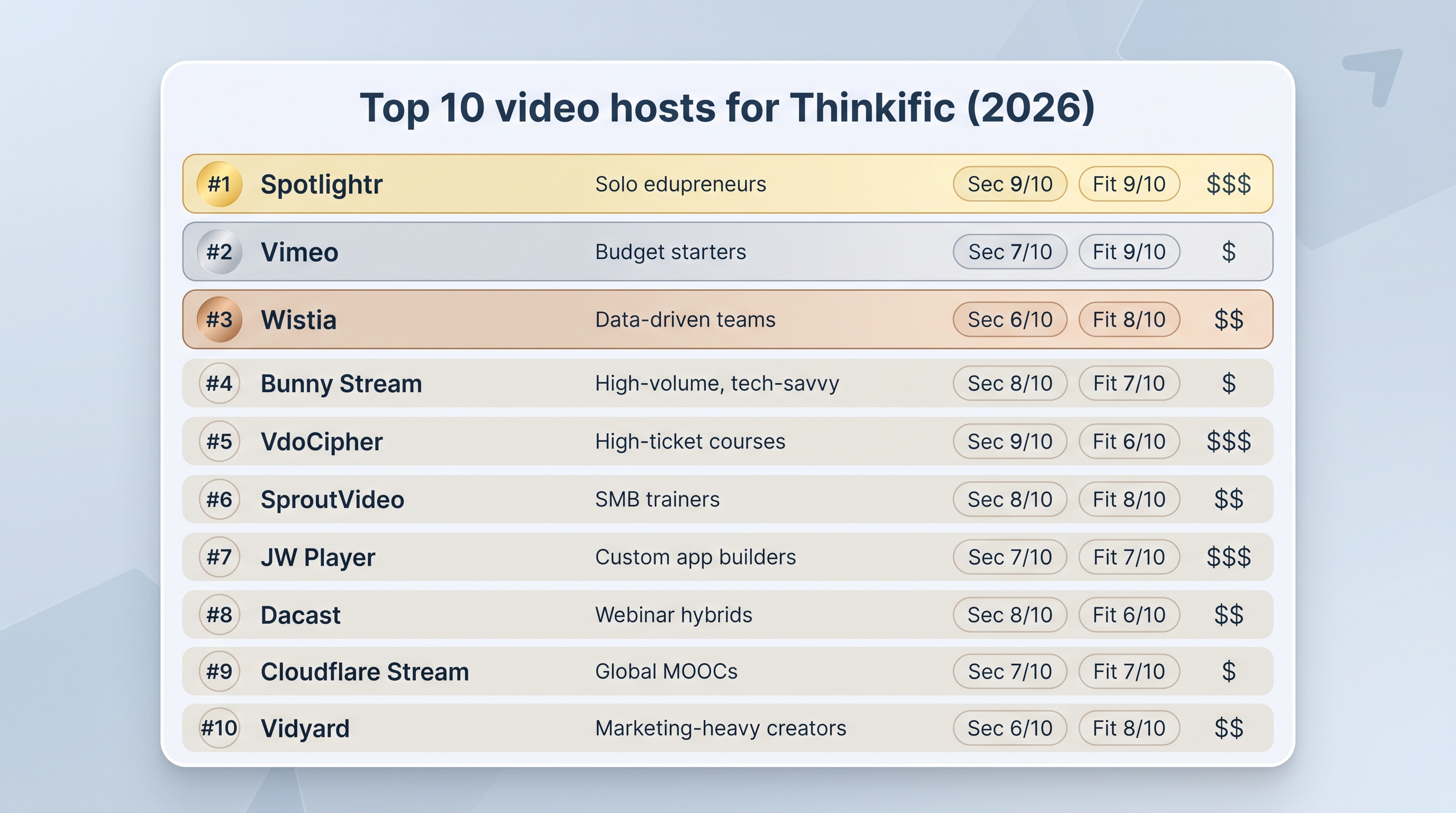
Scan this table and you will spot which platform matches your priorities before we unpack each one.
| Platform | Security (10) | Thinkific fit (10) | Price from | Stand-out feature | Ideal user |
| Spotlightr | 9 | 9 | $24 mo | Encrypted HLS plus in-video CTAs | Solo edupreneurs |
| Vimeo | 7 | 9 | $12 mo | Polished 4K player | Budget starters |
| Wistia | 6 | 8 | $79 mo | Viewer heatmaps | Data-driven teams |
| Bunny Stream | 9 | 6 | Pay-as-you-go | Ultra-low $0.01 / GB | High-volume, tech-savvy |
| VdoCipher | 10 | 7 | $149 yr | Hollywood-grade DRM | High-ticket courses |
| SproutVideo | 8 | 8 | $10 mo | Password or IP lock | SMB trainers |
| JW Player | 7 | 7 | $10 mo | Developer SDKs | Custom app builders |
| Dacast | 8 | 7 | $39 mo | Live plus VOD in one dashboard | Webinar hybrids |
| Cloudflare Stream | 9 | 5 | $10 mo* | 300-plus PoPs CDN | Global MOOCs |
| Vidyard | 5 | 6 | Free / $19 mo | Video email funnels | Marketing-heavy creators |
*Includes 1 000 min storage and 5 000 min streaming.
Spotlightr tops the list because it excels at security, embeds in two clicks, and keeps costs friendly. The official help doc even walks you through pasting the embed code inside Thinkific’s editor, so no tech headaches there.
Vimeo’s price is tempting, but the self-serve tiers carry a soft two-terabyte monthly ceiling. Pass that twice and Vimeo nudges you toward an enterprise contract that starts in the thousands.
Keep this scorecard handy as we move into the individual reviews.
1. Spotlightr: secure all-in-one for course creators
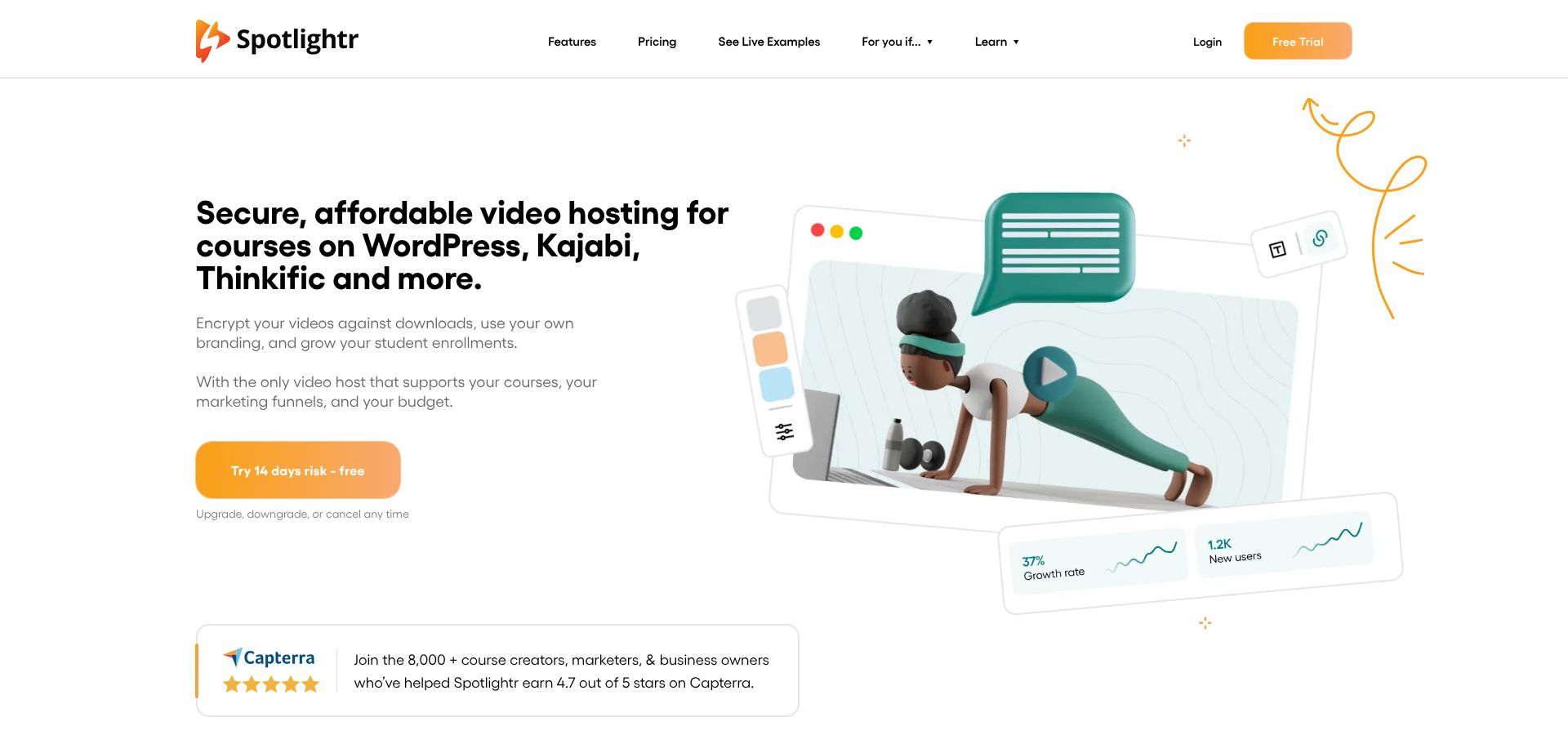
Spotlightr tops our list because it feels built for the everyday Thinkific instructor. You paste one embed code into a lesson, switch to student view, and the video appears responsive, branded, and locked to your domain. The official help doc shows the process in under two minutes, no developer needed.
Spotlightr Homepage Showing Secure Course Video Hosting
Streams arrive encrypted with HLS, and you can layer dynamic watermarks or access codes for extra deterrence. The $24 starter tier includes unlimited bandwidth, a lifesaver now that Thinkific’s free plan disappeared in March 2026. Thinkific Pricing (2026): Plan Break-Down And Free Plan Updates breaks down the new trial-then-downgrade workaround and shows how Spotlightr’s flat rate can still beat Thinkific’s own bandwidth overages, while you keep those interactive call-to-action buttons that guide viewers to your next offer.
Analytics mirror Wistia’s heatmaps, so you spot exactly where students rewind or drop off. Combine that insight with Spotlightr’s timed email gate or end-screen button and you have a mini funnel running inside every lesson.
Bottom line: if you want strong piracy protection, built-in marketing tools, and pricing that scales gently as your audience grows, Spotlightr is the easy first pick.
2. Vimeo: familiar, polished, watch the ceiling
Vimeo is the first paid host many creators try after leaving YouTube, and the upgrade feels immediate. Paste a link into Thinkific and the player appears ad-free, in crisp 4K, wearing your brand colours. Students click play and never see a kitten video suggestion again.
Ease is Vimeo’s strength. The dashboard is clean, uploads move quickly, and you can swap a file without breaking the lesson URL. For a lean course with a few dozen students, the $12 Starter plan is hard to beat.
Growth, though, exposes the fine print. Self-serve tiers carry a soft two-terabyte monthly transfer cap. Exceed it twice and Vimeo nudges you toward an enterprise contract that can overwhelm a solo budget. That ceiling is invisible inside Thinkific analytics, so track streams in Vimeo’s backend to avoid a surprise email during launch week.
On security, Vimeo sits in the middle. Domain privacy stops casual link sharing and the company obscures file URLs, yet determined downloaders with a browser console can still capture segments. For many courses that is an acceptable trade for the glossy player and low entry fee. If your lessons sell for four figures, continue reading.
Verdict: Vimeo is a comfortable starter option—sleek, affordable, and ready out of the box—just remember the low attic before you invite a crowd.
3. Wistia: analytics goldmine, pricey footprint
Wistia is the microscope of video hosting. Its heatmap reveals the 30-second lull where students pause, scratch heads, and leave. With that insight you tighten the script, upload again, and watch engagement rise. Few platforms surface viewer behaviour this clearly.
Wistia Video Analytics Heatmap Dashboard Screenshot
The trade-off appears on the invoice. Wistia bills by video count, not bandwidth, so the $79 Pro plan feels fair for a single flagship course. Add a second course or weekly bonus clips and you drift toward the $300-plus Advanced tier. Bandwidth stays “unmetered within reason,” which eases launch-day anxiety.
Embedding in Thinkific is simple: copy the scripted embed, paste it into a Multimedia lesson, and your branded player loads instantly. Security is respectable, with domain restriction and obfuscated URLs, but there is no true DRM. Mid-priced courses may accept that; four-figure programmes might need tighter locks.
If granular data fuels your teaching strategy, Wistia rewards the effort. Just remember that your analytics superpower arrives with a supersized bill when your library grows.
4. Bunny Stream: budget power, DIY setup
Bunny delivers Netflix-level speed for the price of a latte. Storage costs about $0.01 per gigabyte, and streaming runs $0.005 per gigabyte with no plan tiers or hidden caps. In our test, a 10-hour course streamed to 50 students cost less than $5 for the month.
Security matches the lean bill. Enable signed URLs and HLS encryption, then whitelist your Thinkific domain. At that point pirates need developer tools, not a browser plugin, to copy files.
The trade-off is hands-on work. Bunny’s dashboard keeps improving, yet many features still require reading docs or calling an API. To create expiring links tied to each student, you must generate tokens server-side or through a Zapier bridge. If that feels heavy, start elsewhere.
Player customisation covers basics such as logo, colours, and playback speed, but there are no built-in CTAs or email gates. Rely on Thinkific’s engagement tools or add a marketing layer if your funnel needs extra sparks.
Choose Bunny when scale and budget top the priority list and someone on your team can handle a bit of code. It is the lowest-cost horsepower around, provided you keep a firm grip on the wheel.
5. VdoCipher: fortress-level protection for high-ticket content
Some lessons deserve steel doors. If your course sells for four figures or includes licensed clips that must stay private, VdoCipher is the bodyguard.
Streams ride on Hollywood-grade DRM, the same licence-key handshake Netflix trusts. Even pirates with browser dev tools hit a wall. Invisible watermarks tied to each viewer’s email give proof if a screen record ever appears online.
Integration takes one extra step. Paste a short script plus a one-time-password token into Thinkific, and playback works only on your domain for the student in session. Set it once, clone the lesson layout, and future videos slot in smoothly.
Pricing starts at $149 per year for modest bandwidth and climbs as streamed minutes grow. You buy insurance, not frills; there are no built-in CTAs or quiz overlays. If a single leaked copy could collapse your revenue, that insurance feels affordable.
Choose VdoCipher when “good enough” security is not good enough. For lower-risk courses, the extra setup and cost may outweigh the benefit.
6. SproutVideo: hands-on support, lock-tight controls
SproutVideo calls itself “security-first,” and the dashboard backs it up. Toggle password protection, restrict IP ranges, or require viewers to log in with credentials you create; no code, just checkboxes. For many small-business educators that lands between Vimeo’s ease and VdoCipher’s heavy armour.
Plans start at $10 per month and include 100 GB of bandwidth, enough for a few hundred active students. If your launch outgrows that pool you pay predictable overage fees instead of facing an enterprise ultimatum.
Embedding in Thinkific is quick. Copy the iframe, paste it into a Multimedia lesson, and SproutVideo matches your theme colours automatically. The player stays clean, mobile friendly, and free of external branding.
Support deserves its own spotlight. Open chat and you reach a human who understands LMS quirks, usually within minutes. During testing they even recorded a Loom walkthrough to solve an embed issue—rare treatment at this price.
Analytics reveal viewer-level stats when login protection is on, enough to spot drop-off points without drowning in data. Marketing widgets are light, with simple end-screen buttons, but you can connect Zapier if you need more.
Pick SproutVideo when you want quick human help, stronger locks than Vimeo, and a tidy interface that skips developer fiddling.
7. JW Player: developer playground, endless customisation
JW Player is a multi-tool for video tech. If you want to tweak every pixel or build a mobile app that streams Thinkific lessons offline, JW’s SDKs unlock those paths.
The Starter plan costs $10 per month and covers 50 000 plays plus 150 GB of storage. That fee includes token-based security, real-time performance analytics, and a lightweight player known for quick starts.
Upgrade tiers add full DRM, multi-language audio tracks, and AI highlight reels. The cost is your time: while a simple iframe works in Thinkific, most advanced features need JavaScript snippets or API calls. Non-coders may struggle without a developer on hand.
Branding control is unmatched. Change button shapes, inject custom CSS, or trigger a quiz popup when students press pause; if you can code it, JW likely supports it.
Choose JW Player when flexibility outranks simplicity. It can feel excessive for a single course, yet it shines if you plan a long-term ecosystem that stretches beyond Thinkific pages into bespoke apps or media portals.
8. Dacast: live and on-demand under one roof
If your course blends recorded lessons with live coaching calls, Dacast spares you from running two platforms. Schedule a live stream, embed it in Thinkific, and once the session ends Dacast can auto-archive the recording at the same URL, so students find the replay without extra uploads.
Security covers the basics: AES-encrypted HLS, password or domain restriction, and optional watermarks. It blocks casual leaks, though it is not as tough as full DRM.
Pricing is bandwidth-centric. The $39 Starter plan grants 1.2 terabytes per year, enough for monthly webinars and consistent lesson traffic. Because the allowance is annual, you can use more data during launch month and coast later without penalties. Exceed the pool and you buy top-up blocks at a predictable rate.
The interface feels enterprise-grade: more tabs and toggles than SproutVideo, yet logical once you learn the flow. Player branding is fully white-label, and you can add a pay-per-view paywall if you sell standalone workshops outside Thinkific’s checkout.
Choose Dacast when live interaction sits at the heart of your teaching and you prefer one login, one invoice, and broadcast-quality delivery.
9. Cloudflare Stream: global reach, code required
Cloudflare Stream starts at $10 per month, covering 1 000 minutes of storage and 5 000 minutes streamed. Extra minutes cost about one cent, and the rate barely changes even at massive scale.
Cloudflare Global Network Map Highlighting Stream Delivery
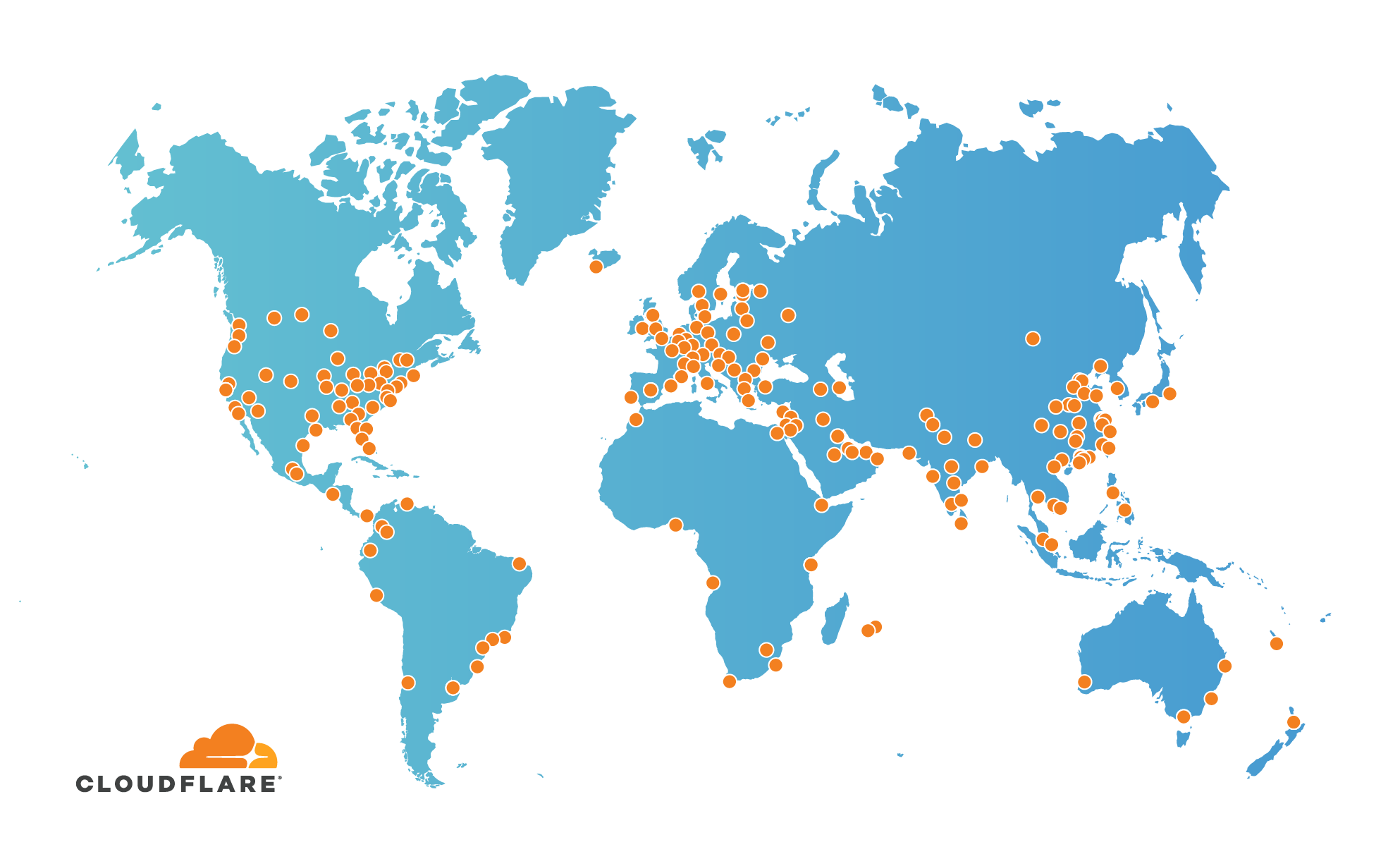
Playback is fast almost anywhere because Stream rides on Cloudflare’s network of more than 300 data centres. If your students span every time zone, that reach matters.
Security depends on signed tokens. Your site, or a small serverless function, mints a short-lived URL for each viewer, so embeds fail outside Thinkific and expire after a set window. It is powerful but you must write the token logic yourself or adapt a GitHub sample; there are no checkboxes.
The dashboard handles basic uploads and thumbnails, yet advanced features such as captions, chapters, or custom skins live in the API. Expect to copy curl commands or integrate through Zapier if you avoid terminals.
Use Cloudflare Stream when you need worldwide delivery at rock-bottom prices and have the developer skills to wire the plumbing. Otherwise, the friendlier interfaces above will save you time.
10. Vidyard: marketing muscle, security light
Vidyard began in sales enablement, and that focus still shows. The free plan lets you embed unlimited videos with Vidyard branding, while the $19 upgrade removes the logo and unlocks email-capture forms plus CRM integrations.
Those lead-generation tools shine on landing pages and nurture emails. Inside a paid course, though, Vidyard’s armor is thin. There is no domain whitelist or DRM, so students with the embed link can share it freely.
Analytics track who watched and for how long, sending that data to HubSpot or Salesforce in real time. If your growth engine relies on video funnels, Vidyard shortens the loop between watch and buy.
For course delivery we view Vidyard as a sidecar, not the main host. Use it for marketing clips that drive traffic to Thinkific, then protect your lessons with one of the nine hosts above.
Conclusion
Use the scorecard and detailed reviews above to match a host with your security needs, student volume, and budget—then teach without tech anxiety.