

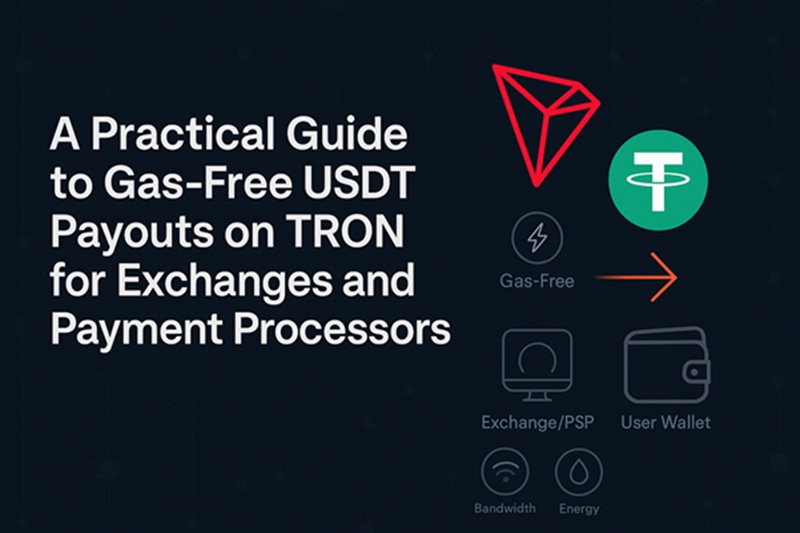
For exchanges, PSPs, and marketplaces, “gas-free” means your customers receive USDT without needing TRX in their wallets or worrying about fees. On TRON, you can make that happen by managing Energy and Bandwidth on the sender side, so end users pay nothing and transfers just work.
Early note: if you plan to supplement staked resources with rentals, you can buy energy tron to smooth out fee spikes.
How TRON fees really work (in 60 seconds)
Before building your payout flow, it helps to know how fees are actually paid on TRON. TRON uses two resources: Bandwidth for basic transactions and Energy for smart-contract calls. USDT on TRON is a TRC-20 token, so transfers consume Energy. If your sending account lacks enough Energy/Bandwidth, the network burns TRX from that account to cover the gap. In short: the sender pays, not the recipient—perfect for gas-free payouts.
Recipient experience: make sure addresses are “activated”
To keep support tickets low, plan for first-time recipients. A new TRON address may need a tiny TRX deposit before many wallets will display incoming TRC-20 balances like USDT. If you’re paying newcomers, pre-activate their address (send a small TRX amount once) or have them add TRX themselves. This avoids “I don’t see my USDT” confusion even when the transfer succeeded on-chain.
Your options to cover fees (and when to use each)
Here’s a quick, at-a-glance comparison of the main ways to cover fees so recipients never deal with TRX.
| Option | What it is | Pros | Cons | Best for |
| Stake TRX for Energy | Freeze TRX to generate ongoing Energy/Bandwidth. | Lowest unit cost at steady volumes; earns staking yield; on-chain and simple. | Ties up capital; planning needed during volume spikes. | Predictable, high-throughput payers. |
| Rent Energy | Rent additional Energy from a provider when you need it. | Opex, not capex; flexible; great for bursts and seasonality. | Variable market rates; provider risk—choose reputable vendors. | Spiky or growing volumes; pilots and rollouts. |
| Pay-as-you-go (burn TRX) | Keep TRX on the hot wallet and let fees burn when Energy runs out. | Zero setup; works immediately. | Highest cost at scale; prone to “OUT_OF_ENERGY” errors if under-funded. | Low volume or emergency fallback. |
Most teams mix strategies: stake TRX to cover the baseline, then rent Energy during peaks or campaigns. This keeps costs predictable without over-locking capital.
Step-by-step rollout for gas-free USDT payouts
Use this simple plan to launch gas-free payouts with confidence and minimal surprises.
- Map your flows. Estimate daily transfers, typical sizes, and peak hours. This gives you a baseline Energy target per day.
- Pre-activate new payout addresses. For first-time recipients, send a tiny TRX amount once so their wallets reflect USDT immediately.
- Choose your Energy mix. Stake TRX to cover your baseline, and rent Energy to handle surges or seasonal spikes. Review costs weekly and rebalance.
- Set sane feeLimits on transactions. Use a feeLimit that comfortably covers worst-case Energy draw so you don’t bounce transactions during short spikes.
- Monitor in real time. Track Energy/Bandwidth on hot wallets; alert when thresholds are hit. If you see “OUT_OF_ENERGY,” auto-trigger a top-up or retry.
- Batch smartly when possible. If your payout logic allows, bundle scheduled transfers into windows to use Energy efficiently while meeting your SLA.
- Keep a safety float. Maintain a TRX reserve on the sender to guarantee completion if Energy is briefly exhausted.
Practical tips to lower your unit cost
These ideas help you trim fees without adding complexity to the user experience.
- Right-size your baseline stake. Too little and you burn TRX; too much and capital sits idle. Review weekly against actual throughput.
- Use rentals during promos or end-of-month spikes. Renting converts surprises into predictable operating expense.
- Instrument everything. Expose EnergyLeft/BandwidthLeft and last-hour burn in your ops dashboard to catch issues before they hit users.
- Test new wallets and flows on a canary. Some wallets hide TRC-20 balances on inactive addresses; find that early in staging.
Minimal technical checklist
Before you go live, confirm the following items so your flow is reliable from day one.
- Sender wallet(s): Custodial infrastructure or MPC wallet with programmatic access to set feeLimit and read resource balances.
- Node access: TronGrid or your own full node to broadcast and monitor transactions.
- Pre-flight checks: Before each payout, ensure the sender has Energy/Bandwidth above thresholds; if not, stake/rent/transfer TRX.
- Error handling: Catch “OUT_OF_ENERGY” and retry after topping up Energy or raising feeLimit.
- Address activation flow: If a payout target is new, run a one-time activation step (tiny TRX send) before the first USDT transfer.
Security and operations notes
Strong safety and good hygiene keep fees stable and downtime low as volumes grow.
- Provider due diligence. If you rent Energy, use reputable providers with transparent pricing, uptime guarantees, and API access controls.
- Key separation. Keep staking wallets and hot payout wallets separate; limit hot wallet permissions.
- Log tx hashes, Energy consumed, and fee outcomes per payout for audits and cost reporting.
- Customer support macros. Prepare clear instructions for users who don’t see tokens due to inactive addresses; point them to the activation step.
The bottom line
Gas-free USDT payouts on TRON are straightforward once you control Energy on the sender side. Pre-activate recipient addresses, size your baseline stake, rent Energy for peaks, and monitor resources as closely as balances. Done right, your users never touch TRX, transfers clear reliably, and your fee curve stays predictable even as volumes grow.