

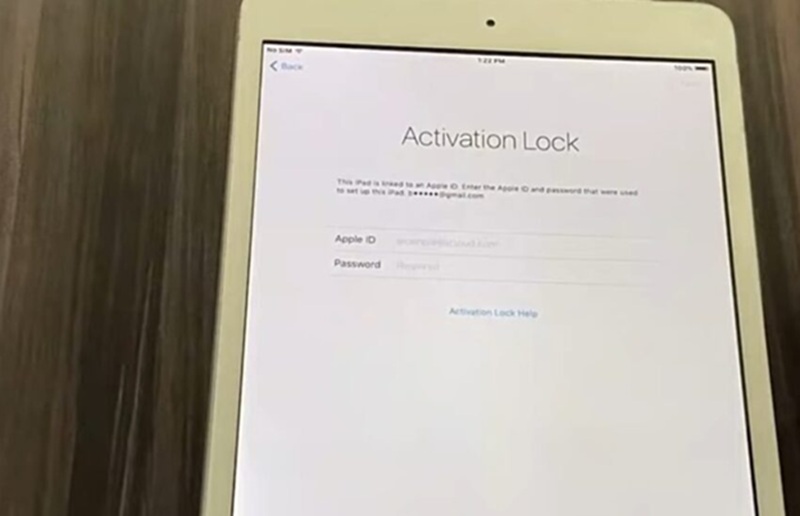
Are you trying to bypass iPad Activation Lock but can’t get past the lock screen on your device? This problem usually happens when you forget your Apple ID password or when you buy a second-hand iPad that is still linked to the previous owner’s account. Because of this lock, you cannot set up or use the iPad normally, which can be very frustrating.
The good news is that there are several ways to solve this problem. In this guide, we will show you how to bypass activation lock step by step using simple methods. We will also introduce Tenorshare 4uKey, a helpful tool that can remove different iPhone and iPad locks quickly and easily.
Let’s get started.
Part 1: What is Activation Lock?
Before getting straight to how to bypass iPad activation lock, it’s essential to first understand what it is. Well, Activation Lock is a security feature built into Apple devices. It automatically turns on when the Find My feature is enabled on an iPhone, iPad, or Mac. The purpose of this feature is to protect your device if it is lost or stolen.
When Activation Lock is active, the device requires the Apple ID and password that were previously used to set up the device. Without these credentials, the device cannot be activated.
This is why many users search for ways to bypass iPad activation lock, especially in situations like:
- Buying a second-hand iPad that is still linked to the previous owner
- Forgetting the Apple ID used to set up the device
- Encountering an ipad mini activation lock after resetting the device
- Running into an ipad 2 activation lock when restoring an older device
- Seeing similar security restrictions on an activation locked macbook
Although Activation Lock is designed for security, it can sometimes create problems for legitimate users who need access to their devices.
Part 2: How to Bypass iPad Activation Lock Without Apple ID (Using 4uKey)
If you don’t know the Apple ID or password linked to your device, bypassing the iPad activation lock through normal methods can be very difficult. In this case, many users turn to a professional tool like Tenorshare 4uKey, which is designed to remove various iOS locks, including screen locks and Activation Lock in certain situations, providing a simple process to help users regain access without the original Apple ID credentials.
Key Features of 4uKey
Tenorshare 4uKey offers several useful features that make it easier to deal with activation lock problems:
- Helps bypass iPad activation lock when the Apple ID or password is not available
- Supports many iPad models and iPadOS versions
- Simple and user-friendly interface that beginners can easily understand
- Can remove different locks such as screen passcodes, Face ID, and Touch ID
- Works on both Windows and macOS computers
- Regular updates to support newer iOS and iPadOS devices
Because of these features, many users rely on this tool when they face problems such as ipad mini activation lock or ipad 2 activation lock, especially when the previous Apple ID cannot be accessed.
Step-by-Step Guide to Bypass Activation Lock with 4uKey
Step 1: Download and Install 4uKey
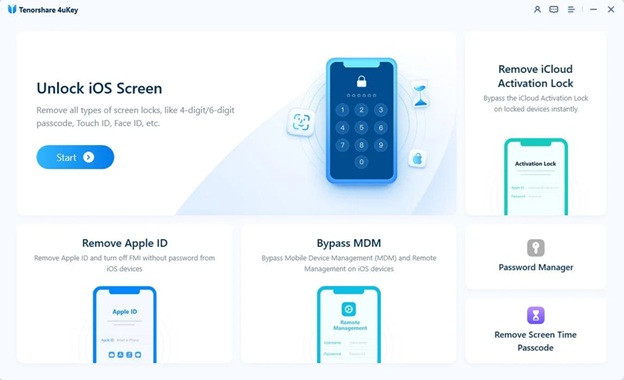
Start by downloading Tenorshare 4uKey on your Windows PC or Mac. Install the program and open it. Then connect your iPad to the computer using a USB cable to begin the process.
Step 2: Enter Recovery Mode
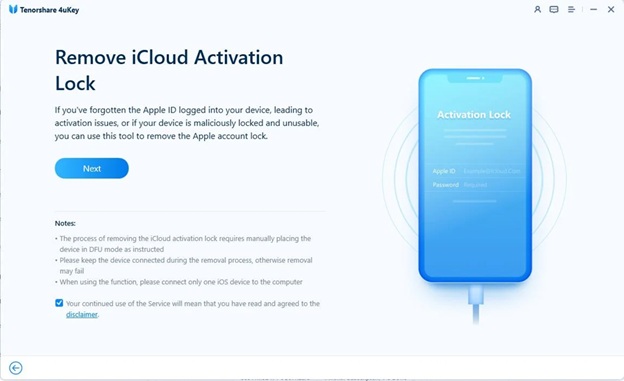
After the device is detected, click “Next.” The software will guide your iPad to enter Recovery Mode so the unlocking process can move forward.
Step 3: Begin the Jailbreak Process
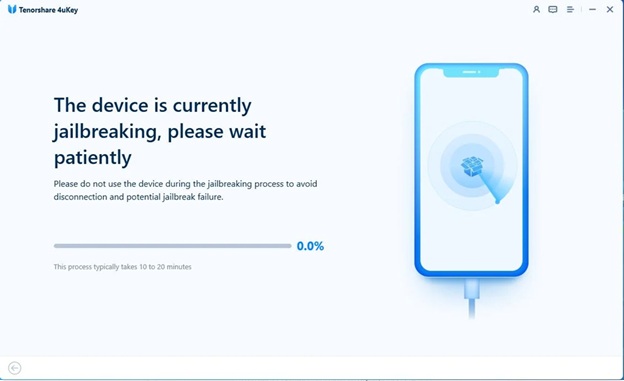
Next, the program will start preparing and jailbreaking the iPad. Keep the device connected to the computer during this step and wait until the process is completed.
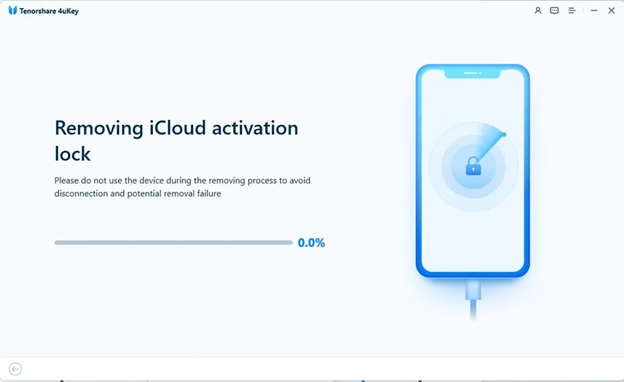
Step 4: Start Removing the Activation Lock
Once the jailbreak step is finished, 4uKey will automatically begin removing the iCloud Activation Lock from the device.
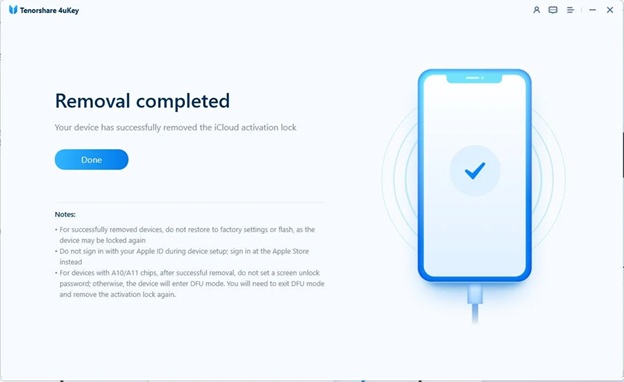
Step 5: Activation Lock Successfully Bypassed
After a few minutes, the process will complete. The Activation Lock will be removed, and you will be able to set up your iPad and use it normally again.
Part 3: How to Remove Activation Lock with Apple ID (Official Method)
If you know the Apple ID and password used on the device, the easiest method is to remove the lock through Apple’s official process.
Applicable Scenarios
This method works if:
- You know the Apple ID password
- The previous owner can help unlock the device
- The device is still connected to the original iCloud account
Step-by-Step Tutorial
Step 1: Turn on the iPad and go to the Activation Lock screen.
Step 2: Enter the Apple ID and password that were originally used to set up the device.
Step 3: Tap Next to verify the account.
Step 4: Once verified, the device will unlock and continue the setup process.
Advantages
- Official Apple method
- Completely safe and secure
- No additional software required
If the previous owner still has access to the account, this is the easiest way for how to bypass activation lock.
Part 4: How to Remove Activation Lock from a Used iPad
Many users face activation lock issues after buying a second-hand iPad. In this case, the device may still be connected to the previous owner’s Apple ID.
To remove previous owner’s Apple ID iPad, you can try the following solutions.
Contact the Previous Owner
The simplest solution is to contact the person who sold you the iPad and ask them to remove the device from their Apple ID.
Remove the Device from iCloud
The previous owner can remove the device remotely:
- Log in to com
- Open Find My iPhone
- Select the iPad from the device list
- Click Remove from Account
After this step, the activation lock will disappear.
Use an Activation Lock Bypass Tool
If contacting the previous owner is not possible, using a tool designed to bypass iPad activation lock may help restore access to the device.
Contact Apple Support
Apple may help remove the activation lock if you provide proof of purchase showing that you legally own the device.
Part 5: FAQs About Bypassing iPad Activation Lock
Do bypass tools require jailbreak?
Some bypass tools require jailbreaking the device to remove the activation lock. Jailbreaking gives the tool access to system settings that Apple normally restricts. Tools like Tenorshare 4uKey usually guide users through this process. However, it depends on the iPad model and iPadOS version.
Do I need the paid version of a bypass tool?
Yes, in most cases you need the paid version to remove the activation lock. Free versions usually only check device compatibility. To fully unlock the iPad, you normally need to upgrade to the full version.
Can Apple help me remove the activation lock?
Yes, Apple can remove the activation lock if you prove ownership of the device. You will need to provide a valid proof of purchase. If the information is verified, Apple Support may help remove the lock.
Conclusion
Getting stuck on the activation screen can be frustrating when you can’t access your device. To bypass an iPad activation lock, you can try signing in with the original Apple ID, contacting the previous owner if it’s a used device, or reaching out to Apple Support with proof of purchase. If these options are not available, a professional tool like Tenorshare 4uKey can make the process easier by guiding you step by step to remove the activation lock and regain access to your iPad.