

To maintain a Windows PC to ensure it is fast and secure, regular maintenance is needed. There are junk files which are built up daily, the startup programs are built quietly, and the traces of privacy are built up in the background. The problem? The majority of users do not even perform cleanups regularly.
And that is where Advanced SystemCare 19 Free comes in. This potent PC cleaner has the best AutoCare technology, which means that you can set up an automatic maintenance schedule so that your system cleans itself, optimises, and protects itself automatically.
The following provides the full instructions on how to configure PC maintenance automatically with Advanced SystemCare 19.
Step 1: Launch and Turn on AI in Intelligent AutoCare
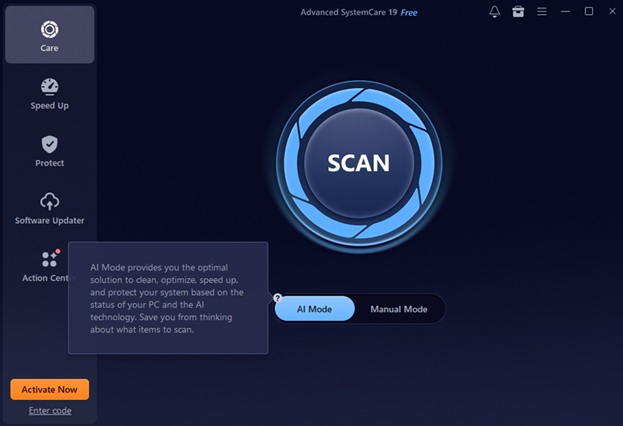
Install Advanced SystemCare 19 and then run the program. The central place of automated maintenance is AI Mode. Rather than a laborious process of choosing each clean-up action option by hand, AI Mode applies AI to your system habits and performance indicators to answer the question: what are the best clean-up actions?
To program hands-free cleaning:
- Switch to AI Mode.
- Enable AutoCare in the Setting.
- Automatically turn on the cleaning schedule (daily, weekly or idle system).
AI Mode is also smart and sensitive to:
- Eliminating junk files (junk in the Microsoft Store)
- Privacy trace cleanup
- Registry cleanup
- Spyware scanning
AutoCare in version 19 optimises the management of startup items and services as never before, which makes the background cleaning smarter and more efficient.
Step 3: Let the System Perform Automatic Scanning
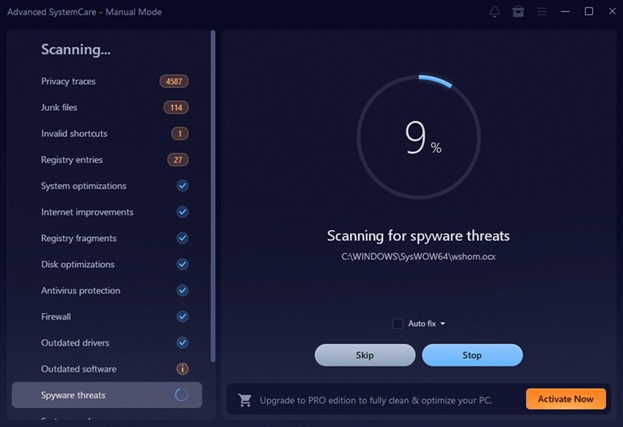
After the addition to the schedule, Advanced SystemCare will start scanning automatically at the time of your choice or at idle times of your computer. When used in the automatic scans, it verifies:
- Temporary and copy files.
- Obsolete system data
- Browser traces
- Hidden spyware
- Performance bottlenecks
This PC cleaner has greatly enhanced the Junk file Clean module, which in turn works to remove all obsolete data and brings back the valuable hard disk space immediately without affecting your work.
Since the software operates in the background, you are able to concentrate on your other activities as the software works.
Step 4: Automatic Userless Correction
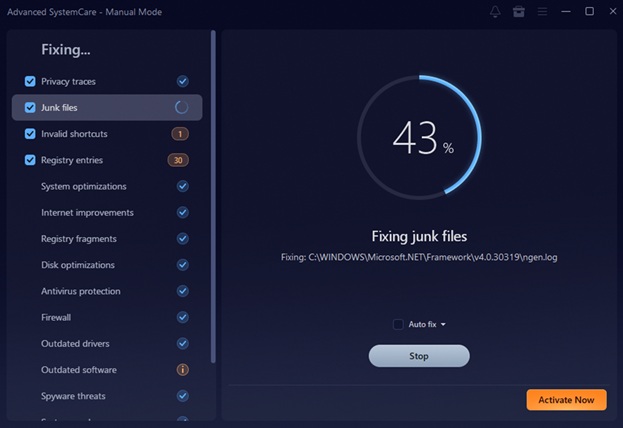
On completion of scanning, AutoCare then automatically goes ahead to correct identified problems according to your preset preferences.
It can automatically:
- Remove junk files
- Repair registry errors
- Clear privacy traces
- Block potential threats
AutoCare does not require constant confirmation in spite of the manual cleanups. It carries out real-time optimised safe repairs.
This is a completely hands-free system which keeps your PC clean even when you leave, remembering to run the maintenance yourself.
Step 5: Validate Maintenance Completion.
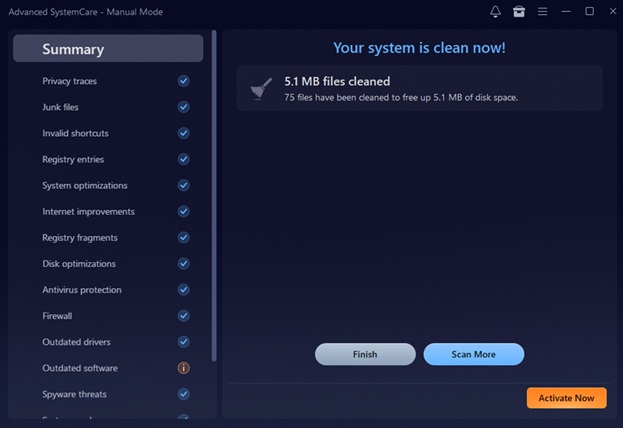
Advanced SystemCare checks in on clean-up by ensuring that the issues identified have been resolved.
You’ll notice:
- Quick system responsiveness.
- More available disk space
- Fewer background slowdowns
Automatically with AutoCare on, this happens automatically and on the schedule that you determine – that is, performance is consistent without any additional work.
Step 6: Sum up Performance Reports
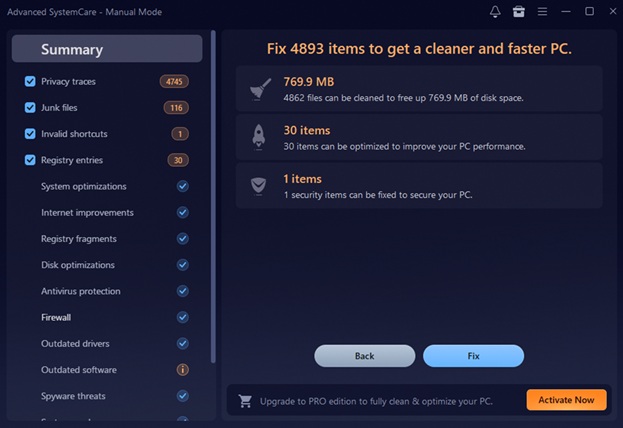
The Summary part gives a clear understanding of:
- Amount of junk removed
- Startup items optimised
- Privacy traces cleared
- Security Boboos corrected.
These reports will make you realise the optimal improvements each automated session will provide.
Advanced SystemCare 19 guarantees that it is transparent with maintenance being hassle-free.
Step 7: Combine AutoCare with Speed Optimisation
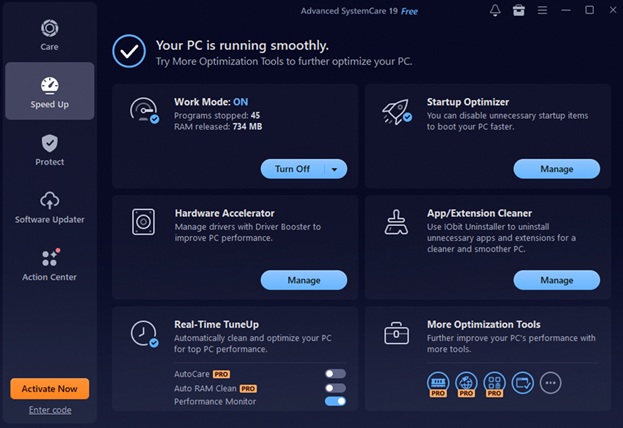
Whereas AutoCare does cleaning, its Speed Up module further improves the performance.
It includes:
- Improved Startup Optimisation.
- Background process management.
- Live monitoring of the resources.
Enabling you to turn off all that you do not really need at startup, your PC starts quicker and runs better.
The increased Startup Optimization of this Windows cleaner deals with more startup entries and services than previous versions; it ensures that there is a visible performance improvement.
Step 8: Energise Protection: Maintenance
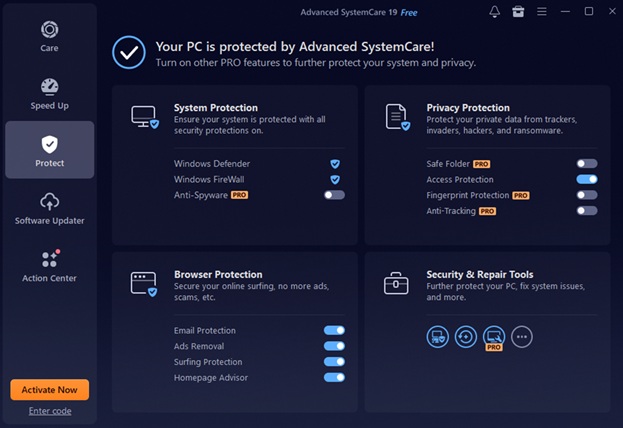
Without security, performance is insignificant. Advanced SystemCare 19 incorporates protection aspects into its automatic maintenance system.
The Protect section contains:
- Extended Anti-Spyware Database.
- Strengthened Privacy Sweep
- Surfing Protection Database Made Large.
- SAFE Folder anti-ransom virus.
Privacy Sweep supports more applications and browsers by obliterating more digital fingerprints so that your online identity stays safe.
Collectively, these capabilities enable AutoCare to not only have speed but also security.
Step 9: Automatic Software Updates
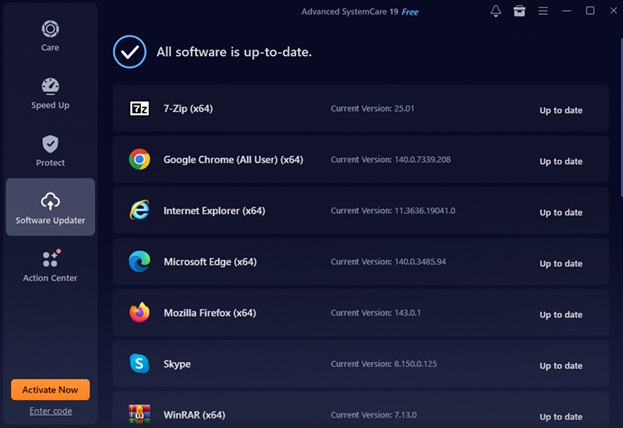
Old software can result in vulnerabilities and instability of performance. Advanced SystemCare 19 has an improved Software Updater that is able to update more popular AI tools and Microsoft Store apps.
By allowing automatic updates:
- The security vulnerabilities are phased out in a short time.
- The compatibility problems are minimised.
- System stability improves
This guarantees that your PC is automated and secure.
Step 10: Improve Maintenance using 20+ Practical Tools
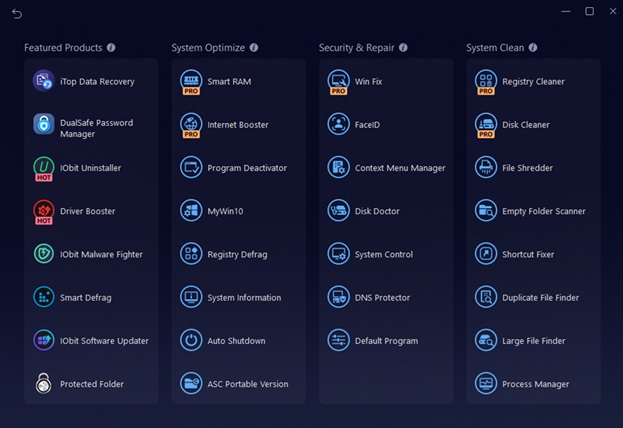
Advanced SystemCare is not limited to cleaning, as it has over 20 powerful utilities.
Notable tools include:
- Smart RAM – Clean up unused memory automatically.
- Internet Booster – Tunes network settings.
- Win fix- Glasses, the universal windows repair.
- FaceID – Recognises malicious use.
- Big Files Finder – Finder of the large files available.
- DNS Protector – Avoids malicious DNS modifications.
These tools are useful in supplement to the AutoCare, where you can automate almost every facet of PC optimisation and protection.
Conclusion
One of the easiest ways of ensuring that your Windows system remains fast, clean and safe is to plan hands-free maintenance with Advanced SystemCare 19. With AI Mode and AutoCare, your personal computer automatically cleans, optimises, and scans without the need to get into the computer manually.
Startup optimisation, better junk files remover, safer file indexer, web-based proactive privacy sweeps, and more, Advanced SystemCare 19 is an Einstein solution to keep a computer running at its best.
In case you are interested in having such a good all-in-one PC cleaner that can automatically clean up PC clutter in your computer, but protect your data as well, then Advanced SystemCare 19 Free is a smart, efficient and painless way of keeping your system running fast each and every day.