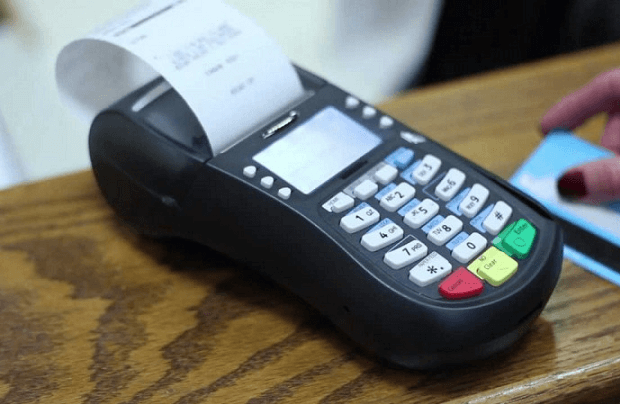
In hotels and restaurants, using debit cards is still a major friction in Nigeria. Most times, the thing does not just work. In short if not for ATM machines, debit cards have not served many customers well via POS terminals. If you check carefully, you will notice that some of the merchants have multiple POS terminals, and yet nothing works.
I do think we need to consider integrating or embedding biometric (fingerprint) data on the debit cards so that once we want to pay, we just place our finger on the designated section of the card to authorize a contactless payment. This will also remove any need for PIN or signature thereby making the whole process faster. This embedded fingerprint recognition technology will rely on the biometric data the banks have warehoused during BVN (bank verification number) enrolments. Standard Chartered Bank already uses biometric-based ATM systems. We can extend that to biometric-based debit cards.
I have some more ideas on how this can work in Nigeria. Largely, I do think we need to avoid contacts with POS terminals and possibly that can reduce the failure rates of POS-powered transactions in the nation. This to me is a weak point besides others like poor network connectivity and limited capacity which are already widely known.
The Lagos State Task Force has arrested 23 operators and 10 motorcycles of bike hailing startups Gokada and Maxokada for plying restricted routes in the state. It stated that commercial motorcycle operators who fail to comply with the Lagos State Road Traffic Laws of 2012 would be dealt with.
Out of the 115 motorcycles which were impounded during enforcement operations for operating on restricted routes, 22 were branded Gokada and Maxokada. The Task Force Chairman CSP Olayinka Egbeyemi stated that their operations were illegal as they operate without valid documents from the state government, stating that in accordance with the law, no commercial motorcycle operator is allowed to operate on 475 restricted routes, including highways and bridges across the state. Also members of the public were warned to desist from patronizing commercial motorcyclists on restricted routes as they would be liable also to prosecution.
It is important to note that before you start your startup to disrupt or solve any frictions which are existent in any industry, you must go through the regulatory guidelines for operators to know where there are bounds. This is key in a country like Nigeria where multiple agencies both from the Federal Government and State Government levels make life difficult for businesses especially SMEs to survive.
Uber has come under serious criticism in different markets of the world where it operates as the governments of those countries have actually tried to put in place control mechanisms to protect the interests of taxi operators. Why Google and Facebook don’t operate in China unlike other markets is simply because the Chinese government controls access to information even on the internet for its citizens to prevent locals from getting influenced by foreign media which could trigger off an uprising against its Communist regime. This principle deviates from the ideals of the American technology giants. Largely, the filtering that is required to keep operations comply with Chinese laws may not be acceptable to some foreign digital entities.
It is very important you know what the law says regarding operations in that market before you venture to prevent a later embarrassment which could lead to shut down of the business.
The EU-funded CTA profiles my agtech business – Zenvus. In Zenvus, we brought the fusion of electronics, AI and data to engineer a new agriculture framework that makes farmers businesspeople. Simply, we remove guesswork via precision technology, transforming a hitherto process devoid of cause-effect into one that is data-driven. The impact: higher yields. At the moment, Zenvus works with governments and cooperatives even though we give our Zenvus to selected individual farmers for development and experimental purposes.
Advanced sensory technology is connecting smallholders in Nigeria with information about their soil health, helping to take the guesswork out of farming.
Farmers in Nigeria are accessing soil data in real-time to better manage their crop growth and access financing that was previously out of reach. Zenvus, a precision farming company, has created electronic sensors with in-built GPS, which are placed in the soil to measure pH, nutrient content, moisture level and temperature. The data collected from different farms is aggregated and analysed according to location, and the appropriate advice is then provided to farmers via a ‘SmartFarm’ web and mobile app. Using this data, farmers are able, for instance, to apply the correct fertiliser and optimally irrigate their farms, leading to enhanced farm operations, reduced input waste, and improved productivity.
Kenya’s Safaricom has secured a deal which will allow its Mpesa mobile payment service to be used for online shopping on AliExpress, a platform owned by Chinese e-commerce giant Alibaba, as part of a move to expand its most profitable product beyond Kenya.
AliExpress will allow Kenyan shoppers to purchase goods from China through its website using Mpesa in a matter of weeks.
Under the deal, Ant Financial, an affiliate of Alibaba that runs its payment services, and the world’s biggest fintech valued at over $100 billion, and processing over $20 billion annually, will offer Mpesa as one of the payment options with transactions denominated in Kenyan shillings. It will allow Mpesa users to shop on AliExpress without a credit card. The move targets especially micro-traders in the country who source goods and other supplies from manufacturers in China. This latest deal is part of the redesign to transform Mpesa into a global payments platform.
In November, Mpesa signed a deal with Western Union to allow Mpesa users to send money around the world using their cellphones. Mpesa was launched more than a decade ago to offer Kenyans without bank accounts a network to transfer money via mobile phones. It now offers a range of payment services, loans, and savings, to more than 21 million people in Kenya, and has been copied abroad.
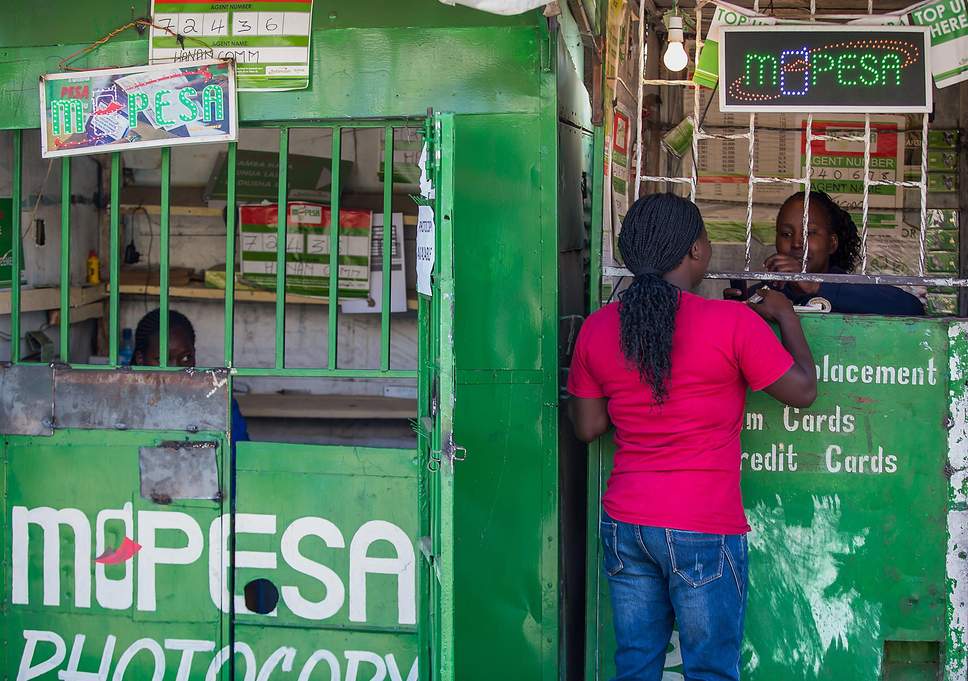
M-PESA is a service that allows you to transfer money using a mobile phone. Kenya is the first country in the world to use this service, which is offered by mobile operators Safaricom and Vodafone. M-PESA is available to all Safaricom subscribers (Prepay and Postpay), even if they do not have a bank account. Registration is FREE and available at any M-PESA Agent in Kenya. The M-PESA application is installed on your SIM card and works on all handset models.
Similarly, Interswitch Group, Nigeria’s largest electronic payments provider, should secure strategic partnerships which will see Quickteller being used by Nigerians to send and receive money from Western Union, purchase products from Amazon.com and Alibaba.com in Naira. For the Chinese part, it makes sense now that there is a currency swap arrangement with China. This will help reduce the pressure on imports of Chinese products in U.S. dollars instead of the Renminbi.
This 2019 Valentine Day, I received a special gift: a Mac computer. It came at the right time as I have noticed increasingly that many in my network are going Apple. So, going Apple means homogeneity and interoperability, and it makes sense I have an Apple product, leaving the world of Windows behind. I already owned an iPhone, as I was an early adopter of the latest series. So, I did plan to save to buy a Mac. But thank goodness that it came earlier than planned as a gift from someone special.
I began using this Mac and everything was going smoothly and perfectly until there came a time when I needed to transfer files from the iPhone to my Mac. It took some research works online. But at the end, I noticed software which most are using: MacX MediaTrans. I downloaded it and tried it – it works greatly. It helps you to sync iPhone to Mac, effectively.
MacX MediaTrans enables anyone to sync music, photos and videos between iPhone and Mac flawlessly. In short, you may not even notice it because the level of operational execution and user experience is second to none. This great solution is a clear iTunes alternative for Mac for people that want to explore at deeper levels on the interface and integration of Apple ecosystems, from iPhone to Mac and beyond.
Today, due to MacX MediaTrans, I backup my iPhone data to prevent data loss. The occasional drawbacks noticeable with iTunes are completely solved by this solution. It has become my best best iTunes alternative for Mac and has helped to backup and sync photos, videos, music, ringtones, ebooks, podcast, etc between iPhone and Mac to secure data and free up iPhone space.
MacX MediaTrans delivers fast file transfer speed and it is also easy to use. It makes it possible to sync contents bi-directionally, from iOS devices and Mac and that implies you can move contents from your iPhone to Mac and vice versa. One thing I found very useful was the selectivity which enables the capacity to select only the files you want to transfer without having to transfer all files. By having that feature, MacX MediaTrans delivers faster speed and that means saving of time. It also ensures that you preserve space by having only the things you want moved.
For Music, you can sync and backup music from your iPhone to Mac via this technology. Also, for videos and photos, you can also do the same. The key is the efficiency in the synchronization and backup of contents.
MacX MediaTrans as iTunes Alternative
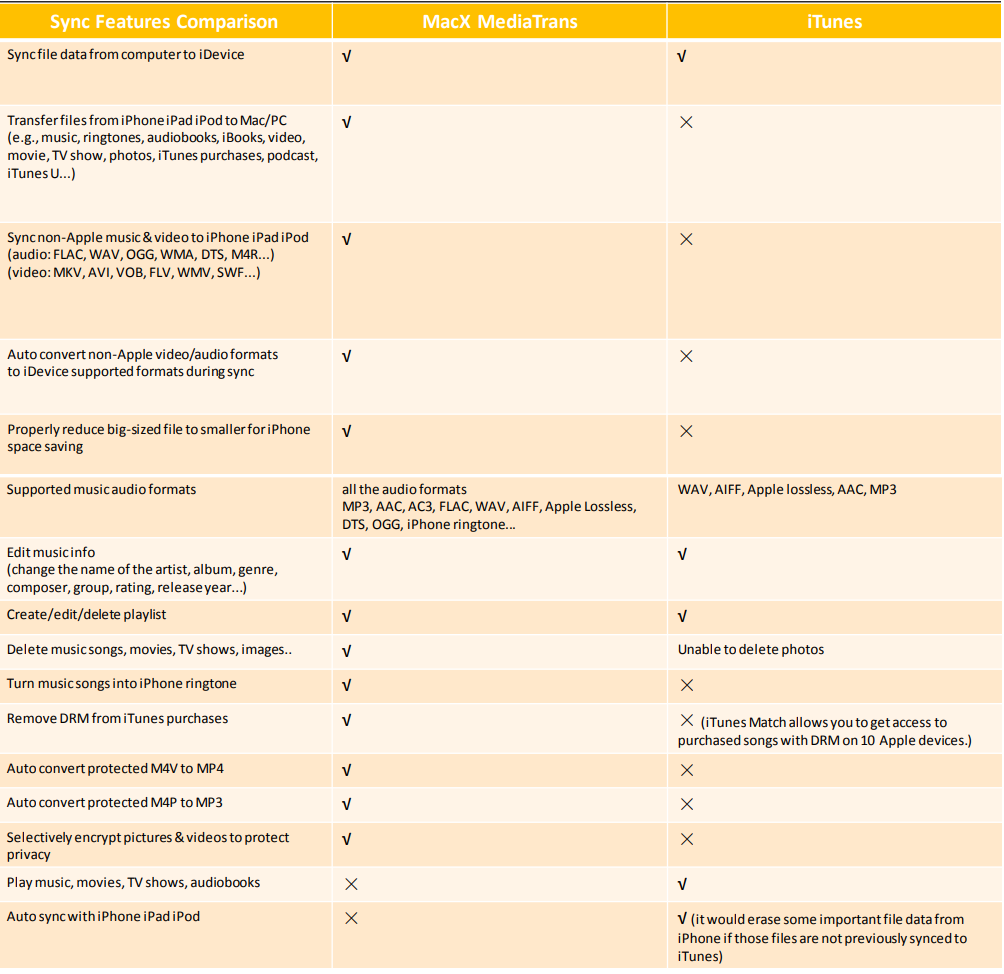
MacX MediaTrans delivers many advantages over iTunes. A key advantage is the capacity to perform selective backups when necessary. That means you can individually backup and restore iPhone photos, music, videos, ringtone, e-books, and other files effortlessly. Also, unlike iTunes, which always erases the raw data after syncing – a bg concern indeed – MacX allows two-way sync between iOS and macOS without erasing any data.
The comparisons below show the advantages of MacX MediaTrans over iTunes in syncing and managing iPhone files, and this helps to understand why MacX MediaTrans is the best alternative to iTunes.
How To Transfer Contents between iPhone and Mac using MacX MediaTrans
Connect your iPhone to a Mac or PC using a USB cable. Then Tap “Trust This Computer” on your iPhone.
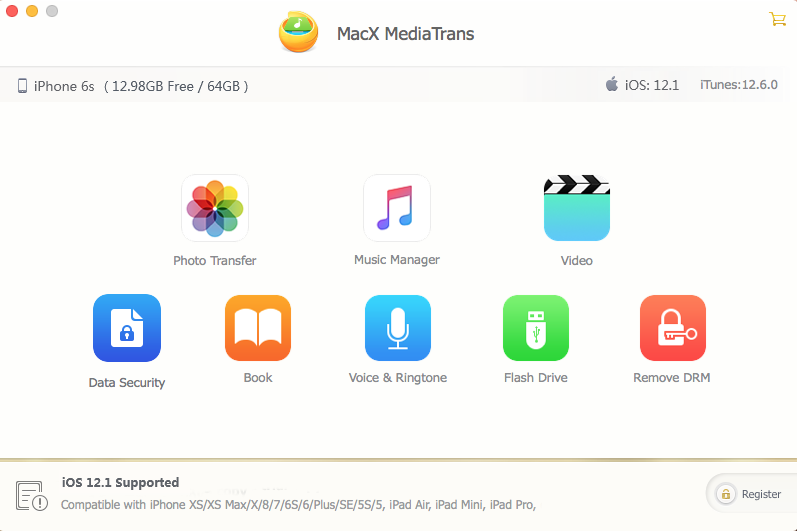
Depending on what kinds of files you’d like to back up, choose the corresponding icon in the main interface. Take photos as an example: click “Photo Transfer” to load all of your photos on your iPhone. (The following steps go the same if you chose “Music Manager” or “Video”).
Select the photos you’d like to back up, or tick the box of “Select All” to make a complete backup of the current category.
Click the “Export” button on the top of the panel, and wait for the file to be generated. As little as 8 seconds are needed to transfer 100 4K images.
You are done – simply easy and no problems.
How to Restore Prior iPhone Backups from Mac/PC to iPhone
Similarly, you can also restore your previous data from Mac to iPhone using MacX MediaTrans.
Once again connect your iPhone to your Mac or PC, and choose the corresponding icon according to your file type. Also click on the “Photo Transfer” icon.
Create a new photo album by clicking the “+” button on the left column. Click the “Add Photo” button to select photos you’ve previously backed up on your computer hard drive. Then click the “Open” button.
Press the “Sync” button to restore your selected photos to your iPhone and then verify the transfer.
Done
All Together
This is a very amazing solution – I totally recommend it to anyone. Simply download the iPhone manager to backup and sync iPhone files to Mac at one go, without using iTunes.