


Recently, many countries have quickly realized that no strong international arrangements and treaties are readily available, or could prevent them against cyber-attacks. This lack of any international binding arrangement on cybersecurity, combined with the insights grasped from the Edward Snowden revelations, encouraged nations into taking actions. Different nations started doing several variations and combinations of […]
16.2 – National Cybersecurity Policy & Law
Cybersecurity is a very difficult procedure which requires both technological and legal capabilities to manage. Around the world, the legal elements are very challenging because there is no easy way to deal with a global problem at local levels. Also, most legislators lack technical knowledge which would be necessary for any cybersecurity legislation which certainly […]
16.1 – Information Warfare & Legal Issues
For years, and across nations, military bureaucrats have become worried of the possibilities that a foreign rival might strike their communications networks, computers, and databases. They have reasoned that the age of warfare done within the nexus of information has arrived. Such an “information warfare” attack could be part of greater conventional military operations. Information […]
16.0 – Cyberspace & Cybercrimes
Security of data is in everyone’s best interest. It can only be accomplished with mutual power. Cyber threats are global issues, and so handling them must be global too. The fast developments of computing systems and networks have provided opportunities for attackers to exploit systems and network vulnerabilities, attacking private and public critical data. Individuals, […]
A Solution for Your File and Hard Drive Recovery
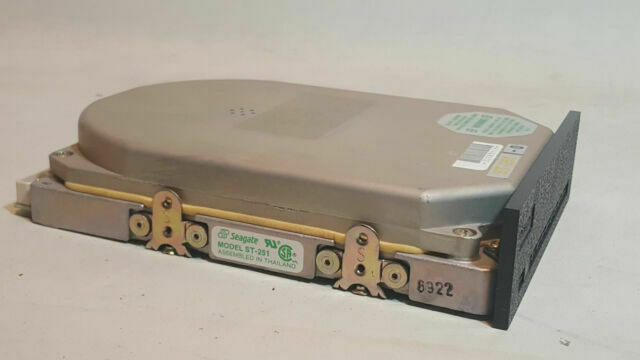
Errors are inevitable and unavoidable- everybody makes mistakes and it is an important part of how we learn to live through experience… except when the mistake is accidentally deleting an important file. Then there is only pain and regret! It happens to the best of us so there is no shame in admitting that you have often deleted a file either by accident or thinking you will not be needing it, without knowing that you would be in the future.
So, what do you do in such a situation?
Fortunately, there is now a way to undo the deletion of a file! How, you ask? By using the EaseUS hard drive recovery technology. The solution is a free file recovery software that allows you to restore deleted files and folders quicker than you may expect. It is basically your knight in a shining armour when it comes to deletion sprees that got just a little bit out of hand.
OPERATING THE EaseUS INTERFACE
The EaseUS Data Recovery Software is a free software that you can download on your computer. It works with both, Windows and Mac systems, making it convenient to be used by anyone. Let’s take a comprehensive look at how to recover your files using this free file recovery application.
- Installing and Operating the Wizard
The program is free and easy to download. After it is downloaded, simply launch the program and you will be able to observe first hand that the interface is super user friendly and easy to make sense of. You can find everything you need inside the Menu icon on the top of the window.
- Beginning the Search
Beginning from the ‘Home’ screen, you can select what kind of files (documents, audio, video) you would like to search for. The next screen will ask you to select which part of the hard drive or the attached drive you would like the software to scan for the deleted file.
- Quick and Deep Scans
The next step would be to click on ‘Scan’ on the bottom right of the page.
When you do a Quick Scan, the software takes just a few minutes to extract a small bunch of files from the selected place. The Deep Scan, however, extracts over hundreds and thousands of files for you to select from and recover. It is also understandable that such a difficult feat takes a considerable amount of time as well. You can pause or stop the Deep Scan anytime you want if you are not willing to wait through the two or three hours of searching. You are still able to preview and restore the files that the software has recovered till that point in time.
- Exporting and Importing Scans
You can save your scan results if you would like to view them later by clicking on the ‘Export Scan Status’. Whenever you would like to view them again, you can simply choose the ‘Import Scan Status’ option and bring back the Recovery State File into the window.
- Finally: Recover!
Once you have decided which files you want un-deleted, you can either right click on that particular file and choose ‘Recover’, or in the case that there are several files you would like recovered, you can tick all the files and press the ‘Recover’ option on the bottom-right corner. You can choose where you would like to place these newly recovered files. It is better to store them in a new place if they were deleted because of a damaged drive.
For times when you are extremely joyous at having recovered something you thought you had lost forever, you can even share your ventures on Facebook, Twitter, and Google!
FREE TRIAL
You can experience the EaseUS software on a trial before you actually download the software, if you would like to. The trial, while does not let you recover files, gives you an idea of how thorough the software’s searching and recovering abilities are. You can even preview the deleted files the application searches for you while on trial.
THE SAFETY NET FOR YOUR DELETING SPREES
With the EaseUS software, you do not have to worry anymore whenever you end up deleting a file you weren’t supposed to. Simply allow this software to work its magic for a few minutes or hours, depending on your scan, and you are always good to go!
by Peter Ken